Key Features That Make K-Lite Mega Codec Pack a Must-Have● Wide Format Support: From common formats like MP4, AVI, and MKV to lesser-known file types, this codec pack ensures no format gets left behind.
● Media Player Classic (MPC-HC): Play your files using the included lightweight yet powerful Media Player Classic, a fan-favorite player with superior performance for HD content.
● Enhanced HDR Playback: Watching HDR videos? K-Lite optimizes playback with included renderers like MPC Video Renderer and MadVR to provide vibrant colors and improved brightness—whether you’re watching on an HDR-capable TV or a regular monitor.
● Blu-ray Playback Made Simple: Enjoy Blu-ray discs without the fuss. While it skips menus, it automatically finds the longest title (usually the main movie) for a hassle-free experience.
● 3D Video Compatibility: Own a collection of 3D movies? This pack includes tools to decode H.264 MVC 3D video, letting you immerse yourself in your favorite flicks with the right hardware and settings.
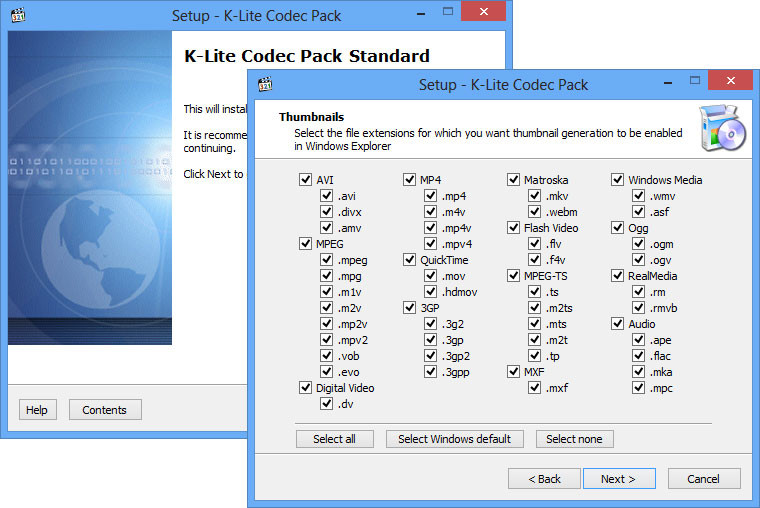
● Explorer Thumbnails: Take organization to the next level with thumbnail previews for video files right in File Explorer. Categorizing files becomes quicker and more intuitive.
● ACM/VFW Codecs: Exclusive to this Mega variant, these are perfect for older video editing software like VirtualDub, providing advanced encoding and re-encoding capabilities.
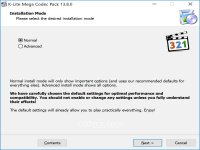
● Ultra-Customizable: With flexible installation options, you control what’s added. Select just the codecs and tools you need or go all-in for the mega experience.
Why Should You Care?
Let’s be real—media playback can feel like a nightmare when you're missing codecs. Instead of googling and downloading several tools that may or may not work, why not simplify? Install the K-Lite Mega Codec Pack and gain access to decades’ worth of codec wizardry that just *works*.
It’s great for gamers, developers, and editors, too. Game engines or editing workflows clinging to legacy codecs? K-Lite’s Mega version includes rarities such as ACM/VFW codecs to ensure compatibility even with outdated systems.
Pro Tips for Smoothest Playback
HDR Made Easy: Use the included MPC-HC player and set its video renderer to MPC Video Renderer or MadVR. Pair this with an HDR-ready screen for unmatched viewing quality.
Navigating Blu-rays?: Simply play the disc in MPC-HC—it'll automatically jump to the main movie. Want more control? Use the “Navigate” menu to pick other titles or chapters manually.
3D Playback Done Right: Got a 3D movie? Use MPC-HC with MadVR, and make sure your system meets requirements like Windows 10 or older (with NVIDIA driver version 418.xx or earlier for full support).
Variants to Suit Every UserK-Lite doesn’t tie you down to one-size-fits-all. Choose among four options, all tailored for specific needs:
●
Basic: Ideal for minimalists—play common formats without frills.
●
Standard: Adds Media Player Classic and a few extra tools for everyday use.
●
Full: Packed with advanced filters and GraphStudioNext for detailed tweaking.
●
Mega (this one): Everything from the Full version plus ACM/VFW codecs and additional goodies for advanced encoding. Perfect for media nerds (ahem, experts).
Stay Regularly UpdatedThe developers of K-Lite Codec Pack spoil us. With regular updates, you’re always equipped with the latest codecs, filters, and tools. If a format changes or a new improvement emerges, your playback capabilities will stay ahead of the curve.
Geek Verdict: An Instant Media Game ChangerK-Lite Mega Codec Pack earns its spot as a PC media essential. It doesn’t just solve one-off format issues—it completely overhauls your computer’s playback capabilities, making it ready to handle *almost anything.* Casual users will love its ease of use and reliable playback, while tech enthusiasts can lose themselves in advanced settings and customization options.
Why waste time fiddling with trial-and-error codec hunts when K-Lite Mega Codec Pack is free, comprehensive, and continually updated? It’s a must-download for anyone who puts their PC to work for music, movies, editing, or beyond.
Bottom Line: Rid your PC of media headaches and install K-Lite Mega Codec Pack today—you’ll wonder how you ever lived without it!




 Reply With Quote