Advertise Here
Advertise Here
Advertise Here
Advertise Here
Page 12 of 14 FirstFirst ... 271011121314 LastLast
Results 111 to 120 of 131

Thread: ║➽║TOOLS║➽║ Notepad++║v.8.9.7║*.DOWNLOAD║

  1. #111
    Super Moderator mehmetkarahanlı's Avatar
    Join Date
    29-12-2017
    Location
    bursa
    Posts
    29,627
    Uploads
    107
    Likes
    17,162

    Re: ║➽║Latest Version of Notepad++║v.8.8.9║DOWNLOAD║


    Notepad++ v8.8.9 release: Vulnerability-fix
    2025-12-09

    Some security experts recently reported incidents of traffic hijacking affecting Notepad++. According to the investigation, traffic from WinGUp (the Notepad++ updater) was occasionally redirected to malicious servers, resulting in the download of compromised executables.

    The review of the reports led to identification of a weakness in the way the updater validates the integrity and authenticity of the downloaded update file. In case an attacker is able to intercept the network traffic between the updater client and the Notepad++ update infrastructure, this weakness can be leveraged by an attacker to prompt the updater to download and executed an unwanted binary (instead of the legitimate Notepad++ update binary). To mitigate this weakness and address the hijacking’s concerns raised by the security researchers, a new security enhancement is being introduced in this release of Notepad++.

    Mitigation: Starting with this release, Notepad++ & WinGUp have been hardened to verify the signature & certificate of downloaded installers during the update process. If verification fails, the update will be aborted.

    Status: The investigation is ongoing to determine the exact method of traffic hijacking. Users will be informed once tangible evidence regarding the cause is established.

    DOWNLOAD


  2. Advertise Here
  3. #112
    Super Moderator mehmetkarahanlı's Avatar
    Join Date
    29-12-2017
    Location
    bursa
    Posts
    29,627
    Uploads
    107
    Likes
    17,162

    Re: ║➽║Latest Version of Notepad++║v.8.8.9║DOWNLOAD║


    Download Notepad++ v8.8.9: vulnerability-fix
    DOWNLOAD


    Download 32-bit x86


    Download ARM64


    Download source code

    Download Notepad++ source code of current version and/or check sha-256 digests for binary packages on GitHub
    Integrity & Authenticity validation


    Notepad++ v8.8.9 new security enhancement, features, regression fixes & bug-fixes:

    1. Vulnerability-fix: verify certificate & signature on downloaded update installer. (Implement Notepad++ commit, WinGUp commit)
    2. Fix corrupted file loading on Windows system using the full UTF-8 code page. (Fix #17234)
    3. Fix crashing when hashing SHA-256 for large files. (Fix #17243)
    4. Fix “Select & Find Next” command not working regression. (Fix #17200)
    5. MSI improvement: Add NOUPDATER option & suppress REBOOT. (Fix #ref1, #ref2)
    6. Fix Perl Function List causes Notepad++ to freeze on tab switch regression. (Fix #17152)
    7. Fix context menu truncated regression on localization change. (Fix #17249)
    8. Add ability to update users’ langs.xml & stylers.xml from model XML files. (Fix #17128)
    9. Update to Scintilla 5.5.8 & Lexilla 5.4.6. (Update #17191)
    10. Add feature to sort lines in a document by length. (Fix #15615, #17186)
    11. Undo & redo enhancement: restore vertical scroll position after undo & redo. (Fix #17194)
    12. Fix mouse wheel horizontal scrolling amount not respecting Windows setting. (Fix #9480)
    13. Fix document map regression with keyboard input. (Fix #17224)
    14. Fix wrong system font scaling on Windows 7. (Fix #17066)
    15. Update to nlohman json 3.11.3. (Update #15041)

    If you find any regression or critical bug, please report here:
    https://community.notepad-plus-plus....nerability-fix


  4. #113
    Super Moderator mehmetkarahanlı's Avatar
    Join Date
    29-12-2017
    Location
    bursa
    Posts
    29,627
    Uploads
    107
    Likes
    17,162

    Re: ║➽║Latest Version of Notepad++║v.8.9║DOWNLOAD║


    Notepad++ Regressıon-fix
    Versıon : 8.9

    UPTADE : 27.12.2025

    Notepad++v8.9 Release


    Notepad++ v8.9 release: security enhancements
    2025-12-27

    Though the version number is major, this release itself is not a major update, and it contains regression-fix & enhancements.

    The self-signed certificate is no longer used as of this release. Only the legitimate certificate issued by GlobalSign is now used to sign Notepad++ release binaries. We strongly recommend that users who previously installed the self-signed root certificate remove it.

    A log of security errors encountered during Notepad++ updates is now generated automatically. In case the auto-update process stops due to a signature or certificate verification failure - users can check the file located at “%LOCALAPPDATA%\Notepad++\log\securityEr ror.log” to identify the issue and report it to the Notepad++ issue tracker.

    The jarring color regression in dark mode regression introduced in v8.8.9 has also been fixed in this release.

    In addition to the security enhancements & the regression-fix mentioned above, this release includes various bug-fixes & several additional enhancements. You can view the full list of improvements for version 8.9

    DOWNLOAD
    Downloads Notepad++ v8.9 Release


  5. #114
    Super Moderator mehmetkarahanlı's Avatar
    Join Date
    29-12-2017
    Location
    bursa
    Posts
    29,627
    Uploads
    107
    Likes
    17,162

    Re: ║➽║Latest Version of Notepad++║v.8.9║DOWNLOAD║


    Notepad++ Regressıon-fix
    Versıon : 8.9

    UPTADE : 27.12.2025


    Download Notepad++ v8.9: security enhancements

    Download Notepad++ v8.8.9: vulnerability-fix


  6. #115
    Super Moderator mehmetkarahanlı's Avatar
    Join Date
    29-12-2017
    Location
    bursa
    Posts
    29,627
    Uploads
    107
    Likes
    17,162

    Re: ║➽║Latest Version of Notepad++║v.8.9.1║DOWNLOAD║


    Notepad++ Regressıon-fix
    Versıon : 8.9.1

    UPTADE : 26.01.2026

    Notepad++v8.9.1 Release
    Notepad++: The Lightweight Yet Powerful Text Editor


    If you've ever been frustrated with the limitations of Windows Notepad, it's time to upgrade to Notepad++. This free, Open Source text editor is packed with features that make it a go-to tool for programmers, system admins, and everyday users who need more than just plain text editing. Whether you're coding, scripting, or just taking notes, Notepad++ delivers efficiency, speed, and customization in a lightweight package.

    What is the Difference between Notepad and Notepad++


    Notepad and Notepad++ might look similar at first glance; they're both lightweight text editors, but they serve very different purposes once you dig in. Notepad is a simple and useful built-in editor that's been in Windows forever. It's great for quick notes, editing system files, or viewing raw text. That's about it. It doesn't offer syntax highlighting, tabbed files, or any real customization. Notepad++, on the other hand, is like Notepad's way-smart cousin. It's built for developers, power users, and anyone who wants more control over text editing. It supports over 70 programming languages and includes tabs, plugins, line numbering, auto-complete, and even a macro recorder. Where Notepad stops at basic text editing, Notepad++ turns your plain text workspace into a full-on productivity zone. If you're editing HTML, writing scripts, or just want tabs so you don't have ten Notepad windows open, Notepad++ is the clear upgrade.
    Who Needs Notepad++?


    It doesn't matter if you're a developer working on the next big project, an IT pro editing configuration files, or just someone who prefers a powerful notepad for daily tasks, Notepad++ has you covered. Coders love it for its support of multiple programming languages, system admins rely on it for quick script edits, and power users enjoy the ability to tweak settings and automate repetitive tasks. Even casual users benefit from its clean interface and efficiency, making it a must-have for anyone who regularly works with text files.

    Why Notepad++?


    Syntax Highlighting & Folding: Supports dozens of programming languages, making it easy to read and organize code.
    Multi-Document Interface: Work on multiple files at once with its convenient tabbed layout.
    Customizable Themes & Plugins: Tailor Notepad++ to fit your workflow with an extensive library of plugins and themes.
    Auto-Save & Session Restore: Never lose your work again. Notepad++ keeps track of your unsaved files.
    Lightweight & Fast: Uses minimal system resources, making it ideal for both high-performance machines and older systems.
    Geek Verdict


    Notepad++ proves that free software can be both powerful and user-friendly. It's an essential tool for anyone who needs a fast, feature-rich text editor without the bloat. Whether you're writing code, editing scripts, or just organizing notes, Notepad++ makes the process smooth and efficient. If you haven't tried it yet, you're missing out on one of the best text editors available today.

    Similar:
    How to Add 'Open With Notepad' Context Menu
    How to Change Font Size, Color, and Style in Notepad in Windows 10 & 11
    How to Clear Recent Documents History in WordPad
    How to Find or Replace Text in Notepad or WordPad


    Version History for Notepad++:
    https://notepad-plus-plus.org/news/


    DOWNLOAD
    http://npp.8.9.1.Installer.exe (32-Bit)
    http://npp.8.9.1.Installer.x64.exe (64-Bit)
    http://npp.8.9.1.Installer.arm64.exe (ARM64)
    http://npp.8.9.1.portable.zip
    http://npp.8.9.1.portable.x64.zip


  7. #116
    Super Moderator mehmetkarahanlı's Avatar
    Join Date
    29-12-2017
    Location
    bursa
    Posts
    29,627
    Uploads
    107
    Likes
    17,162

    Re: ║➽║Latest Version of Notepad++║v.8.9.1║DOWNLOAD║


  8. #117
    Super Moderator mehmetkarahanlı's Avatar
    Join Date
    29-12-2017
    Location
    bursa
    Posts
    29,627
    Uploads
    107
    Likes
    17,162

    Re: ║➽║Latest Version of Notepad++║v.8.9.2║DOWNLOAD║


    What is Notepad++

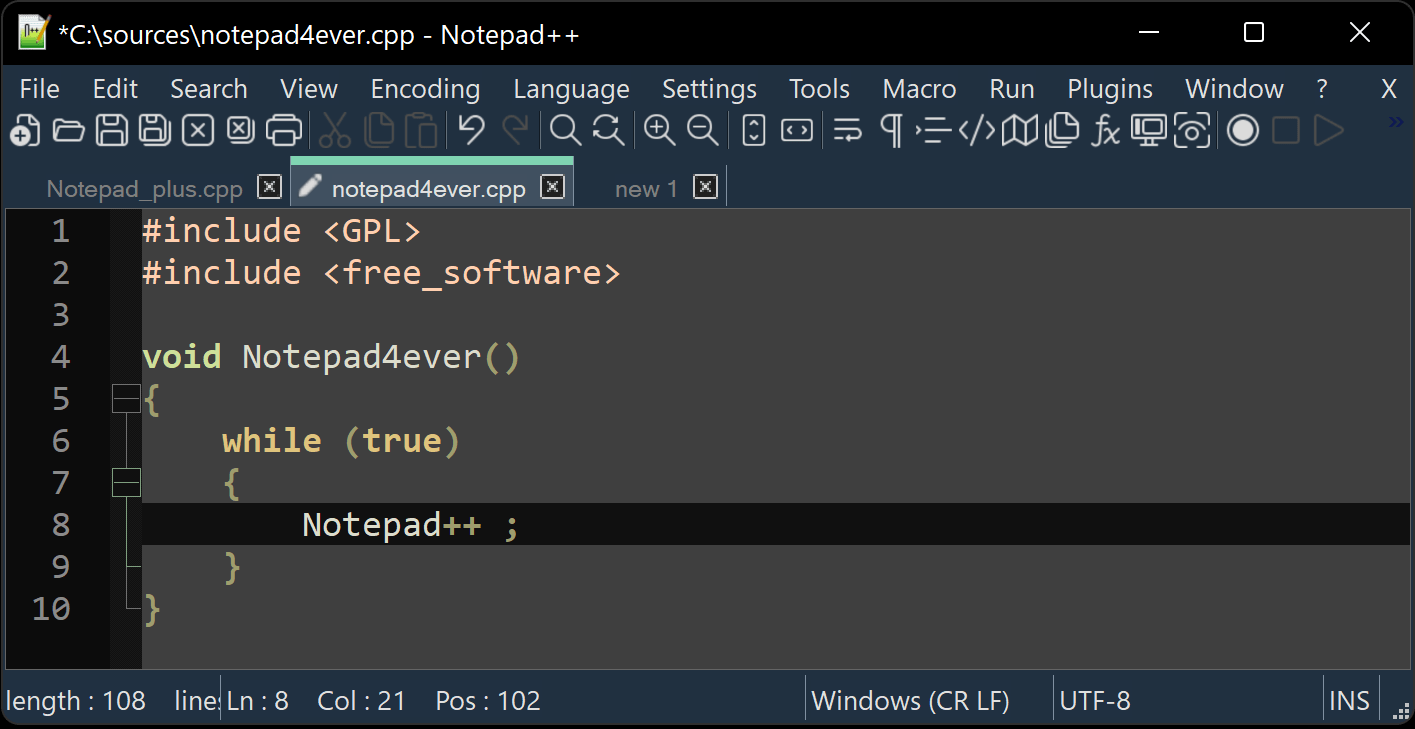
    Notepad++ is a free (as in “free speech” and also as in “free beer”) source code editor and Notepad replacement that supports several programming languages. Running in the MS Windows environment, its use is governed by GNU General Public License.
    Based on the powerful editing component Scintilla, Notepad++ is written in C++ and uses pure Win32 API and STL which ensures a higher execution speed and smaller program size. By optimizing as many routines as possible without losing user friendliness, Notepad++ is trying to reduce the world carbon dioxide emissions. When using less CPU power, the PC can throttle down and reduce power consumption, resulting in a greener environment.

    I hope you enjoy Notepad++ as much as I enjoy coding it.

  9. #118

  10. #119
    Super Moderator mehmetkarahanlı's Avatar
    Join Date
    29-12-2017
    Location
    bursa
    Posts
    29,627
    Uploads
    107
    Likes
    17,162

    Re: ║➽║Latest Version of Notepad++║v.8.9.2║DOWNLOAD║


    Notepad++ Regressıon-fix
    Versıon : 8.9.2

    UPTADE : 16.02.2026

    Notepad++v8.9.2 Release

    Why Notepad++?


    Syntax Highlighting & Folding: Supports dozens of programming languages, making it easy to read and organize code.
    Multi-Document Interface: Work on multiple files at once with its convenient tabbed layout.
    Customizable Themes & Plugins: Tailor Notepad++ to fit your workflow with an extensive library of plugins and themes.
    Auto-Save & Session Restore: Never lose your work again. Notepad++ keeps track of your unsaved files.
    Lightweight & Fast: Uses minimal system resources, making it ideal for both high-performance machines and older systems.


    DOWNLOAD


    http://npp.8.9.2.Installer.exe
    http://npp.8.9.2.Installer.x64.exe
    http://npp.8.9.2.Installer.arm64.exe
    http://npp.8.9.2.portable.zip
    http://npp.8.9.2.portable.x64.zip

  11. #120
    Super Moderator mehmetkarahanlı's Avatar
    Join Date
    29-12-2017
    Location
    bursa
    Posts
    29,627
    Uploads
    107
    Likes
    17,162

    Re: ║➽║TOOLS║ Notepad++║v.8.9.3║*.DOWNLOAD║


    Notepad++ v8.9.3 regression fixes, bug-fixes & new improvements:**
    Regression fix: a crash in User Defined Language. (Fix #17520)
    Regression fix: installing (or removing) plugin re-opens Notepad++ with permanent admin privilege (Fix #17540)
    Regression-fix: wrongly added parenthesis for some multi-bytes characters. (Fix #17521, #17802)
    Regression-fix: incorrect function list text display for non-UTF8 documents. (Fix #17847)
    Regression-fix: ProjectPanel Workspace text localization issue. (Fix community report)
    Regression-fix: Change History margin not enabled by default. (Fix comment repport)
    Regression-fix: Notepad++ update & plugin download fail behind corporate MITM proxies. (Fix community report)
    Security enhancement: Update cURL to v8.19.0 in auto-updater (WinGUp) to fix cURL security issue (CVE-2025-14819). (Fix #17869)
    Improve performance by migrating the XML parser from TinyXML to pugixml. (Fix #16175)
    Update Scintilla to 5.6.0 & Lexilla to 5.4.7. (Implement #17562)
    Fix the issue where printing caused Notepad++ to crash. (Fix #6126, #12645, community report #1, community report #2, community report #3)
    Fix Find in Files failing to search file content on disk. (Fix #16177, #17070)
    Add disableNppAutoUpdate.xml to disable auto-update when WinGUp (GUP.exe) is present. (Implement #17836)
    Fix a memory leak on exit. (Fix #17817)
    Fix installed auto-completion files not overwritten after update. (Fix #14749)
    Add model capacity of shortcuts.xml & contexMenu.xml for administration. (Fix #17872)
    Add an option to disable selected text drag-and-drop. (Fix #2571, #11335)
    Fix wrong theme-writing path for non-ProgramFiles installations. (Fix comment repport)
    Enhancement: prevent XML config files from being overwritten when updating portable package (copy/paste). (Fix #9755, #14279, #15120)
    Fix incomplete Find dialg tab translation when 1st opêned from Project Panels. (Fix community report)
    Fix Notepad++ spawning a new Windows Explorer process in Task Manager. (Fix comment repport)
    Add Function List & Autocompletion for D language. (Fix #17349)
    DOWNLOAD


Page 12 of 14 FirstFirst ... 271011121314 LastLast
Advertise Here

Similar Threads

  1. New ║➽║Daily║➽║OpenHDF║v.8.0║GB Quad 4K║🔴 DOWNLOAD║
    By mehmetkarahanlı in forum GigaBlue Quattro Images
    Replies: 12
    Last Post: 09-07-2026, 22:16:42
  2. Replies: 5
    Last Post: 04-07-2026, 21:08:53
  3. Replies: 8
    Last Post: 04-06-2026, 22:56:34
  4. Update ║➽║Daily║Satlodge║v.5.0║Zgemma TEAM║🔴 DOWNLOAD║
    By mehmetkarahanlı in forum Zgemma H9
    Replies: 3
    Last Post: 04-06-2026, 21:18:09
  5. Replies: 9
    Last Post: 17-05-2026, 13:29:00

Posting Permissions

  • You may not post new threads
  • You may not post replies
  • You may not post attachments
  • You may not edit your posts
  •