Advertise Here
Advertise Here
Advertise Here
Advertise Here
Page 7 of 18 FirstFirst ... 2567891217 ... LastLast
Results 61 to 70 of 176

Thread: Backups image for Vuo+Duo

  1. #61
    VIP Member aguda's Avatar
    Join Date
    09-12-2007
    Posts
    10,437
    Uploads
    2,875
    Likes
    308

    Re: VTi V 2.2"Vu+Duo Team Image" Sat4fun's Hispasat Ready Back Up 20.11.2010

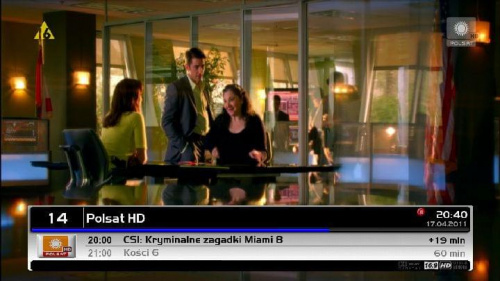
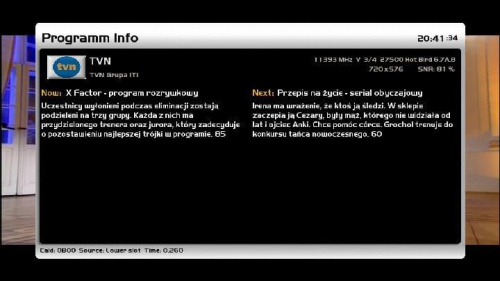
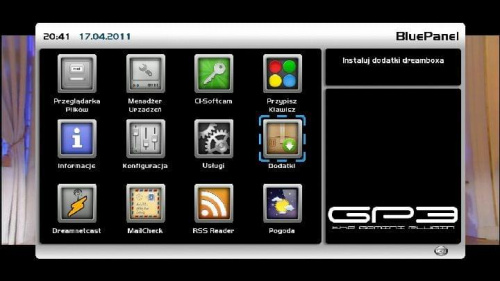
    Witam, jest to backup image Vti 2.5 z dodanym panelem gp3 oraz modem skina dm concinnity kolegi holi. . Skina troszkę przerobiłem, głównie infobar i secondinfobar. Jest również zainstalowany skin z feeda gemini, lepiej go nie usuwać. Chodzi o powiązania plikowe, choć wiem o co chodzi tak jest bezpieczniej.

    English


    NFI: DOWNLOAD
    USB: DOWNLOAD

  2. Advertise Here
  3. #62
    VIP Member aguda's Avatar
    Join Date
    09-12-2007
    Posts
    10,437
    Uploads
    2,875
    Likes
    308

    Re: VTi V 2.2"Vu+Duo Team Image" Sat4fun's Hispasat Ready Back Up 20.11.2010

    Backup Black hole 1.5 multituner +Emus +Scripts +Epg etc


    Code:
    DRIVERS
    
    the tdt drivers can be installed from extra settings blue button, blue tunner ubb. and there you choose your tdt. multituner now
    ppanel 5.4 to download many little things
    Script start 6:00 a.m. daily
    
    3 skins
    
    default curve unique and
    CHANNEL LIST
    09/04/1911 vhannibal dual dual. addons can be downloaded from
    boot boot logo changed x allison, thanks to its creator systemlinuxs. mu is cool
    picons downloadable addons you know
    
    
    IMUS INSTALLED
    
    Sbox 0.4-8 # 2 is set to read both the tdt Slot0 as soccer in the dry in slot1
    set. you only have to put the CAMID of both and the tdt rsa
    Mbox 004 r23
    CCcam 2.1.3
    Oscam 4556
    Socat (to start with CCCam Mbox)
    
    START SCRIPTS
    
    Ncam_ccam_sbox_mbox.sh (displays CCcam Share Mbox)
    2.1.3 Ncam_CCcam2.1.3.sh
    2.2.1 Ncam_cccam2.2.1.sh
    Ncam_Mbox.4b.0022r3.sh
    Ncam_Mbox_sbox_cccam.sh (displays Mbox Share CCcam 2.1.3)
    Ncam_Oscam4556_CCcam213.sh
    Ncam_SBox.sh
    Ncam_SBox_CCcam2.1.3.sh
    Ncam_SBox_CCcam_v2.2.1.sh
    
    
    INSTALLATION MANUAL
    
    DHCP ip / if you do not start the voodoo remove the network cable to boot the first time or while in the image hellboy power cycle the router and change the first boot network address for which you please, a range of your network . and ripped as ever.
    passwd. / dreambox - change in telnet, type passwd and change on the distributions.
    put your configuration files emus and enjoy the eye and is configured with two cards so just add or remove whatever you want.

    DOWNLOAD USB IMAGE

    Code:
    http://hotfile.com/dl/115685121/4cfc96a/usb.rar.html

  4. #63
    VIP Member aguda's Avatar
    Join Date
    09-12-2007
    Posts
    10,437
    Uploads
    2,875
    Likes
    308

    Re: VTi V 2.2"Vu+Duo Team Image" Sat4fun's Hispasat Ready Back Up 20.11.2010

    Backup BlackHole Vu+ Duo v. 1.5.1 Reloaded


    Hi My Friends,
    Here is my new backup....

    Enjoy....

    New Features Added in this Backup:

    Cardreaders:
    Sbox 0.0.4-8-2
    Cccam 2.2.1
    Cccam 2.1.3
    Cccam 2.1.3

    Camscripts:
    Cccam 2.2.1
    Sbox 0.0.4-8-2
    Sbox + Cccam 2.2.1
    Sbox + Cccam 2.2.3

    Scripts Thx to terrorman

    With cccamchannel update
    With cccamproviders update

    Settings Vhannibal Dual (Hotbird 13/Astra 19) 23.04.2011
    Terrestrial xml TDT Spain added
    Picons By Lichers update (usr/share/enigma2/picon)

    Plugins Added:

    Tunissiasat Addons Manager 3.0
    Satangels ***updater 1.4
    Cccam Info 1.3C

    Other Scripts
    Backup Blackhole USB
    Scripts Satangels

    Download USB (57,2 MB):
    http://www.multiupload.com/M29JV6AKSN

    Download NFI (57,2 MB)
    http://www.multiupload.com/B2ORF9YV0B

  5. #64
    VIP Member aguda's Avatar
    Join Date
    09-12-2007
    Posts
    10,437
    Uploads
    2,875
    Likes
    308

    Re: Backups image for Vuo+Duo

    BlackHole 1.5.1 VolarBlack + mhw2epgdownloader ready to install!

    Includes:
    mhw2epgdownloader by sergiotas
    Drivers VolarBlack
    CCcam
    Mgcamd 1.35A
    Picons by Seti72
    ecm time
    Channel List Astra and Hotbird.

    For mhw2epgdownloader the green button twice.

    Enjoy it.

    Code:
    http://hotfile.com/dl/115967839/99913b3/BH_1.5.1.rar.html

  6. #65
    VIP Member aguda's Avatar
    Join Date
    09-12-2007
    Posts
    10,437
    Uploads
    2,875
    Likes
    308

    Re: Backups image for Vuo+Duo

    27/04/2011

    Here is the Back Up Vuo+Duo BH 1.5.1 3G Edition

    Based on Black hole 1.5.1 release

    This is a test edition


    DOWNLOAD USB IMAGE

    Code:
    http://hotfile.com/dl/115976259/d240f5c/VuPlusDuo_3G_27.04.2011.zip.html

  7. #66
    VIP Member aguda's Avatar
    Join Date
    09-12-2007
    Posts
    10,437
    Uploads
    2,875
    Likes
    308

    Re: Backups image for Vuo+Duo

    Black Hole Vu + Duo 1.5.1 - MultiBoot - MULTITUNER - Image Backup EPGPLUS

    27/04/2011

    Code:
    First, a new image to the usb install the latest version of cihazımıza:

    (1) Vu + Duo USB with the image and build

    After installation to be done after the installation settings:: (

    (2) Vu + Duo first setup settings

    <<<@!1!@****>

    At the point where you can search the channel or canal Stock List can install this. If you want to call before you'll need to channel tuner settings.

    For more information about how to channel call:

    (4) Vu + channel search and the favorite of creating Duo

    We check the setting network.

    Menu> Setup> System> Network in the "Network hardware settings" kumandamızın point to the "OK" button.

    Under the section for the current settings by getting the IP address of shout. (Channel settings when you install will have to get back the value of the rope.)

    If the link I gave about the problem, review the network setup issue: Vu + wired / wireless network setup and test procedure

    Channel settings before installing the Menu => Setup => System => Customize section, change the user experience as a specialist.

    Now you can install Settingimizi Channel: 4 Channel with a different method throw list (Contacts).


    Channel Setting Turksat Astra19 Hotbirt EutelsatW3 Channel settings loaded.

    Do not forget to reboot after installing the device channel settings.

    Menu> Setup> Satellite configuration> Tuner Tuner settings: Settings section to come.

    <<<@!2!@****>

    Note: Notice that after you install the tuner ayarlamızı have made our list before the channel. Thus, due to the possible setting names of different satellites have prevented errors in the satellite broadcasting can be taken.

    Menu => Add-ons section came Kumandamızın Red button (Add-ons) are pressed. Updating the software catalog on the screen a message that says the system for a while after their stay will be a list of plugins into categories. When you press the OK button on the remotes come in any category, that category will be a list of add-ons. Here you installed is not built off ekelentilerdir olanalar. You want to install (or you want to remove), add-ons by checking the set up here (or remove).

    Add-on manager;
    System under the category PermanentClock
    System under the category Setpasswd
    System under the category StartUpService
    Under the Software category VlcPlayer
    SimpleRSS under the category of Multi-media
    VirtualZap under the category of Multi-media
    Under media Weatheer Plugin
    YouTubePlayer established under the Multi-media

    Install (or uninstall) and re-start after the end of the process tamamalandığı istemedğimiz with the question of whether a window will pop up. "Yes" by pressing the OK button on the Kumandamızın devices, while providing a reboot.

    When the Zone: (GMT +02:00) Athens, Istanbul, Minsk[/QUOTE]

    set as the startup service: Kanal D

    tunisiasat manager_3.0 download-addons-founded.

    Emu are doing the installation:

    E2_CCcam_2.2.1_bh download file such as / tmp folder are sending below. Black Hole in the Addons Manager (kumandamızın green and yellow button pressed to come to this section), pointing to the Manual Install Bh packges kumandamızın pressing the OK button. While pressing the OK button on the file What kumandamızın again and at the yes on the menu, and select OK uşuna are doing the installation.


    CCcam 2.2.1 Established | Established 1.3.5a Mgcamd | Bulsat Patch For File loaded.
    Patch File for Bulsat Load:
    Patched by pinkyto0o would remove enigma2 Bulsatcom mgcamd_1.35a download and unzip. Unzip the folder in the extracted
    mgcamd_1.35a file via ftp / usr / bin under the taking. (Available on the print the file)
    making the value of chmod 755.


    CCcam.cfg file / etc folder is located under. Server uses this knowledge to the file server must not resist.

    Hacksat-Keys-downloader-e2_1.1-30102010_mipsel.rar download and update k.ey do.

    To set up Hacksat telnette

    ]Export MALLOC_CHECK_ = 0ipkg install-force-overwrite / tmp / Hacksat *

    give the command.

    When you want to install plugins as external. Ipk file via ftp / tmp directory when you throw your remote, press the yellow before the green drop-down menu "Manual Install the ipk packges" remotes come on the "OK" button. You will see that you want to install the ipk file. Kumandamızın was selected even though the "OK" button you can install.

    Menu => Add-ons => tunisiasat-addons-manager_3.0 tunisiasat plugins to come in here, "Netradioturk_2.5" and "LiveFootbal" was established

    Nstreamplayer was 0.3 plugin.


    WebMedia plugin was downloaded. (@ Niendorfer)

    Türksat_Hotbird_Astra19_Eutelsatw3 picon file is loaded. Unzip the downloaded folder, remove and / usr/share/enigma2 / directory under the ship.

    Settings and add-ons installed, then take the backup VU + 'ta get backup Duo & Solo USB and NFI

    The above description was prepared according to Vu + Duo give backup link.
    DOWNLOAD USB

    http://hotfile.com/dl/115999083/6ab3519/vuplus.zip.html
    DOWNLOAD NFI

    http://www.mediafire.com/?7wl9e68k8qeje6w

  8. #67
    VIP Member aguda's Avatar
    Join Date
    09-12-2007
    Posts
    10,437
    Uploads
    2,875
    Likes
    308

    Re: Backups image for Vuo+Duo

    Vu+ Duo Black Hole 1.5.1 + 3G Image Backup / By AYBERK / 28.04.2011

    Code:
    Install this Backup;
    * Will existing Turkish menu.
    * Date as of 28/04/2010 Updated All Drivers Will.
    * CCcam Serverinizi Yarayan keep track of the Latest Version "CCcam Info" Displaced Will Be Installed.
    * be able to use your modem to 3G (+ Turkcell Vodafone Avea +)
    
    * Tuner A (Simple - Fixed);
    1-Turksat 42E
    2-Hotbird 13E
    3-EutelW3 7E
    4-Astra 19.2E
    
    * Tuner B (Simple - Fixed);
    1-Turksat 42E
    2-Hotbird 13E
    3-EutelW3 7E
    4-Astra 19.2E
    
    Set.
    * Thin and Small Detail Settings Yapıldı.Saat Ayarlandı.Açılış ATV HD is set to be opened.
    * Changed by Bootlogo own prepared.
    * Covering your own prepared 4 Satellite News Channel List Yüklendi.Satellites.xml Güncellendi.Yeni Incoming All Channels Added.
    * Display Settings Done.
    Skins Skins Değiştirmedim.Kendi * Very Fine
    * the device Belirlendi.Şifre FTP Password: "imajteam"
    CCcam 2.2.1 * Installed and Auto is set to be opened.
    * CCcam ECM ECM Times Time Düzeltildi.Bu way to show No Problem.
    
    NOTE: To install the USB Image; FlashBellek (USB Memory) as well as in the folder, copy into the vuplus. (in duo as there is a folder) as Fat32 FlashBelleğinizi yapın.Cihaz Formatladıktan then copying back to your device, switch off FlashBelleğinizi takın.Daha Then Vu + Duo Rear panel switch Bitecektir.Ön Açın.1-2 min starting from the installation "Finished" Turn off the device and a USB memory key of which was written back when you open the switch back Çıkartın.Tekrar İmagenizi Everything Ready to Use as a Board.


    DOWNLOAD USB IMAGE

    Code:
    http://hotfile.com/dl/116079786/932ebe2/VuDuo.BlackHole.1.5.13G.Image.Backup.ByAYBERK-28.04.2011-USB.rar.html

  9. #68
    VIP Member aguda's Avatar
    Join Date
    09-12-2007
    Posts
    10,437
    Uploads
    2,875
    Likes
    308

    Re: VTi V 2.2"Vu+Duo Team Image" Sat4fun's Hispasat Ready Back Up 20.11.2010

    VTI "Vu+ Team Image Duo" 2.6 (01.05.2011) Backup Unnamed

    - Bootlogo Changed
    - HD skin was black ice
    - Tuner A DiSEq A/B/C/D: 42E/13E/7E/19E
    - Tuner B, Neutral ..
    - galaxy20024 satellite settings, loaded ..24-04-2011
    - service startup was founded ... Channel D was set to ...
    - CCcam 2.2.1 was founded ...
    - Established Mgcamd ..
    - Root password: vuduo (those who want to change the system password changer can change ...)
    - CD info removed ...
    - Merlin music player loaded..
    - Uploaded EasyMedia ..
    - Uploaded Pzymail ..
    - Apple Movie Tralier loaded ..
    - Hacksat loaded ...
    - Uploaded Webmedia
    - Uploaded Multimediathek ..
    - Transmission loaded ...
    - Subtitle Player is loaded
    - Dyndns Installed
    - YouTube is loaded ..
    - webinterface white remote loaded ..
    - zAp loaded in the browser history ..
    - weather plugin installed ... (istanbul ankara izmir trabzon samsun)
    - TunisiaSatAddOnManager loaded.
    - Installed LiveFootball ..
    - Netradio (2.5) is loaded ..
    - Added RSS ... (nationality)
    - nStream player installed ..
    - loaded virtual zapping .. (ok.. Press and hold)
    - Network: DHCP
    - HD picon loaded (Turksat eutelsatw3) thank you @ veyselcan ..

    USB Version
    Code:
    http://hotfile.com/dl/116386452/389a2eb/unnamed_backup-usb(vti-2.6).rar.html
    NFI Version
    Code:
    http://hotfile.com/dl/116388494/f15f7e4/unnamed_backup-nfi(vti-2.6).rar.html

  10. #69
    VIP Member aguda's Avatar
    Join Date
    09-12-2007
    Posts
    10,437
    Uploads
    2,875
    Likes
    308

    Re: VTi V 2.2"Vu+Duo Team Image" Sat4fun's Hispasat Ready Back Up 20.11.2010

    BACK UP VIX Team Vu + Duo v2.1 Image

    Code:
    First, a new image to the usb install the latest version of cihazımıza: (1) Vu + Duo USB with the image and build
    
    After installation to be done after the installation settings:: (2) Vu + Duo first setup settings
    
    Seçilidi HDMI.
    1080i is selected.
    Turkish language was chosen.
    DHCP on the network.
    
    At the point where you can search the channel or canal Stock List can install this. If you want to call before you'll need to channel tuner settings.
    
    For this review the following issue: (4) Vu + channel search and the favorite of creating Duo
    
    We check the setting network.
    
    Menu> Setup> System> Network in the "Network hardware settings" kumandamızın point to the "OK" button.
    
    Under the section for the current settings by getting the IP address of shout. (Channel settings when you install will have to get back the value of the rope.)
    
    If the link I gave about the problem, review the network setup issue: Vu + wired / wireless network setup and test procedure
    
    List of Channel 4 with a different method to throw (Contacts).
    
    Setting the DUO VU +} {9 satellite 18.02.2011 Kayacan * Channel settings loaded.
    
    Do not forget to reboot after installing the device channel settings.
    
    Menu> Setup> Satellite configuration> Tuner Tuner settings: Settings section to come.
    
    Tuner A: (simple) DiSEq A / B / C / D: 42 ° / 13 / ° 7 ° / 19.2 °
    Tuner B: (advanced) DisegC 1.1: 42 ° / 13 / ° 7 ° / 19.2 ° / 39 ° / 9 ° / 4.8 ° / 16 °
    
    Note: Notice that after you install the tuner ayarlamızı have made our list before the channel. Thus, due to the possible setting names of different satellites have prevented errors in the satellite broadcasting can be taken.
    
    
    Menu => Add-ons => Green Button (Download Extension) a pressed.
    Extension information indiriliyor.Lütfen wait ... Plug-ins will be seen after a period of warning in case of Categories.
    
    
    The downloadable add-ons => systemplugins autoresolution established under
    The downloadable add-ons => systemplugins setpasswd established under
    The downloadable add-ons => under extensions permanentclock
    The downloadable add-ons => Quickbutton established under extensions
    The downloadable add-ons => simplerss established under extensions
    The downloadable add-ons => virtualzap established under extensions
    The downloadable add-ons => vlcplayer established under extensions
    The downloadable add-ons => weatherplugin established under extensions
    
    Emu are doing the installation:
    
    wixcam.rar file included in the download folder "enigma2-plugin-cams-cccam.2.2.1_mipsel.ipk" file via ftp device, / tmp folder are sending below. Menu> Setup> VIX> IPK installer to come and "enigma2-plugin-cams-cccam.2.2.1_mipsel.ipk" We see the file. Kumandamızın the OK button (or pressing the green button kumandamızdaki) by pressing the yes on the question while we do the installation by pressing the OK button kumandamızın. Re-confirm başlatmayıda.
    
    Enigma2-plugin-cams in the same way that we do-mgcamd.1.35a_1.0-r3_mipsel.ipk installation.
    
    mg_cfg file: / usr / send keys under.


    CCcam 2.2.1 Established | Established 1.3.5a Mgcamd | Bulsat Patch For File loaded.
    Patch File for Bulsat Load:
    Patched by pinkyto0o Bulsatcom mgcamd_1.35a would remove enigma2 download and unzip. Unzip the folder in the extracted
    mgcamd_1.35a file via ftp / usr / softcams taking the bottom.
    making the value of chmod 755.
    
    
    Hacksat-Keys-downloader-e2_1.1-30102010_mipsel.rar download and update k.ey do.
    To set up Hacksat telnette
    Code:
    
    Export MALLOC_CHECK_ = 0
    ipkg install-force-overwrite / tmp / Hacksat *
    
    give the command.
    
    When you want to install plugins as external. Ipk file via ftp to / tmp after kicking
    Menu> Setup> VIX> IPK installer to come and we want to set up even though the file was selected Kumandamızın after seeing the OK button (or pressing the green button kumandamızdaki) by pressing the yes on the question while we do the installation by pressing the OK button kumandamızın.
    
    tunisiasat manager_3.0 download-addons-founded.
    
    
    Menu => Add-ons => tunisiasat-addons-manager_3.0 tunisiasat plugins to come in here, "Netradioturk_2.5" and "LiveFootbal" was established
    
    WebMedia plugin was downloaded. (@ Niendorfer)
    
    Time Zone: (GMT +02:00) Athens, Istanbul, Minsk
    set-up service is started: Kanal D
    DOWNLOAD USB IMAGE
    Code:
    http://www.megaupload.com/?d=SU8A5XSC

  11. #70
    VIP Member aguda's Avatar
    Join Date
    09-12-2007
    Posts
    10,437
    Uploads
    2,875
    Likes
    308

    Re: VTi V 2.2"Vu+Duo Team Image" Sat4fun's Hispasat Ready Back Up 20.11.2010

    This is a backup of my authorship. Added panel GP3. DjCrash Channel list, as amended bootlogo. I added and modified the skins into BluePanel GP3

    Infinity

    Kerni HD1R2

    Vu-Concinity by Holi


    Plugins:
    - secondinfobar
    - easyinfo
    - cooltv
    - crossepg
    - dreamnetcast
    - weather

    Buttons:
    - Red - vti panel
    - Green - plug-ins
    - Yellow - pip
    - Blue - GP3 panel


    gracias a scalpel

    Download

Page 7 of 18 FirstFirst ... 2567891217 ... LastLast
Advertise Here

Similar Threads

  1. VU+E2 Image 2.0 for DM8000(mbox image)
    By aguda in forum Dreambox DM 8000 HD PVR Images
    Replies: 0
    Last Post: 09-01-2010, 00:53:09
  2. image
    By eskiyaaslan in forum German / Deutsch
    Replies: 0
    Last Post: 14-08-2009, 00:36:44
  3. Backups DM-500
    By totox69 in forum Dreambox DM 500 / DM 500+ Images
    Replies: 0
    Last Post: 15-09-2008, 10:00:35
  4. backups 500s
    By goodtrick in forum Dreambox
    Replies: 0
    Last Post: 11-09-2008, 11:04:10

Posting Permissions

  • You may not post new threads
  • You may not post replies
  • You may not post attachments
  • You may not edit your posts
  •