Advertise Here
Advertise Here
Advertise Here
Advertise Here
Page 8 of 18 FirstFirst ... 367891013 ... LastLast
Results 71 to 80 of 176

Thread: Backups image for Vuo+Duo

  1. #71
    VIP Member aguda's Avatar
    Join Date
    09-12-2007
    Posts
    10,437
    Uploads
    2,875
    Likes
    308

    Re: VTi V 2.2"Vu+Duo Team Image" Sat4fun's Hispasat Ready Back Up 20.11.2010

    BlackHole 1.5.1 VolarBlack + mhw2epgdownloader autoupdate...


    Incluye:
    mhw2epgdownloader by sergiotas pero esta vez ya es autoupdate.
    Epgrefresh
    Drivers VolarBlack
    CCcam
    Mgcamd 1.35a
    Picons by Seti72
    Ecm time
    Lista canales Astra y Hotbird.

    Code:
    http://www.megaupload.com/?d=03NSFCBF

  2. Advertise Here
  3. #72
    VIP Member Andushi's Avatar
    Join Date
    13-04-2010
    Location
    United Nations
    Posts
    4,103
    Uploads
    2,275
    Likes
    29

    Re: Backups image for Vuo+Duo

    Backup - BlackHole Vu+ Duo v. 1.6 Reloaded by ComaDReja


    Features Added in this Backup:

    DHCP On
    Web Interface On (Sin Pass)
    FTP (Sin Pass)
    Bootlogo Diablo Reloaded
    Vhannibal Settings Dual Feed update to 05.05.2011
    Terrestrial Xml update (Spain TDT)
    Picons by Lichers
    Sbox Latest version
    Cccam 2.2.1
    Cccam 2.1.3
    Sbox+Cccam 2.2.1
    Sbox+Cccam 2.1.3
    Tunissia Sat Addons Manager 3.0
    Cccam Channel Info
    Cccam Providers

    Download USB

    Download NFI

  4. #73
    Moderator
    Join Date
    12-08-2008
    Posts
    1,367
    Uploads
    722
    Likes
    221

    Re: Backups image for Vuo+Duo

    AAF Enigma2 MediaCenter Spring Edition Vu+Duo ‎Backup Unnamed 05.05.2011

    - Bootlogo changed (ozkaradag)
    - Everything unnecessary has been removed
    - Shockstyle HD. (honeycomb.)
    - Tuner A DiSEq A / B / C / D: 42E/13E/7E/19E
    - Tuner B, Neutral ..
    - 24-04-2011 galaxy2002 4 satellite settings, loaded ..
    - Service startup was founded ... TV star set to ...
    - CCcam 2.2.1 was founded ...
    - Established Mgcamd ..
    - Root password: vuduo (those who want to change the system password changer can change ...)
    - Uploaded Pzymail ..
    - Hacksat loaded ...
    - Uploaded Webmedia
    - Uploaded Multimediathek ..
    - Transmission loaded ...
    - Subtitle Player is loaded
    - Dyndns Installed
    - YouTube is loaded ..
    - Pauli Keymap loaded ..
    - Picasa installed ..
    - Change Spinner loaded ..
    - Webinterface black remote loaded ..
    - Zap loaded in the browser history ..
    - Weather plugin loaded ...
    - D-Explorer is loaded ..
    - Installed vlc player ..
    - TunisiaSatAddOnManager loaded.
    - Installed LiveFootball ..
    - Netradio (2.5) is loaded ..
    - nStream player installed ..
    - Google Maps is loaded ..
    - Loaded virtual zapping .. (ok.. Press and hold)
    - Network: DHCP
    - HD picon loaded (Turksat eutelsatw3)

    USB Version

    NFI Version
    Attached Images Attached Images

  5. #74
    Moderator
    Join Date
    12-08-2008
    Posts
    1,367
    Uploads
    722
    Likes
    221

    Re: Backups image for Vuo+Duo

    BlackHole backup Vu + Duo 1.6 by fandos


    I leave the last black hole
    content:
    tdt usb wintv drivers MiniStick
    Spanish terrestrial
    Multisat channel list
    tuner to: motor
    tuner b: astra hotbird monoblock lnb fixed
    pluguins:
    1.2 livefootball
    cccam info bh
    mhw2epgdownloader: epg does not work for HD, grrrrrrrrr
    skins:
    which brings the image source
    curve army hd
    gradient army hd
    Miscellaneous:
    cccam 221 full
    cccam providers
    chanel cccam info.
    not pass the image.


  6. #75
    Moderator
    Join Date
    12-08-2008
    Posts
    1,367
    Uploads
    722
    Likes
    221

    Re: Backups image for Vuo+Duo

    Spring Edition, Vu + Duo AAF enigma2 MediaCenter BY isayuksel


    First, a new image to the usb install the latest version of cihazımıza: (1) Vu + Duo USB with the image and build

    After installation to be done after the installation settings:: (2) Vu + Duo first setup settings

    eçilidi HDMI.
    1080i is selected.
    Turkish language was chosen.
    DHCP on the network.


    At the point where you can search the channel or canal Stock List can install this.

    (4) Vu + channel search and the favorite of creating Duo

    List of Channel 4 with a different method to throw (Contacts).
    Quote:


    Channel Setting Turksat Astra19 Hotbirt EutelsatW3 Channel settings loaded.


    Menu> Setup> Satellite configuration> Tuner Tuner settings: Settings section to come.
    Quote:


    Tuner A: Not Configured. According sisteminizie can configure your own.
    Tuner B: (advanced) DisegC 1.1: 42 ° / 13 / ° 7 ° / 19.2 ° / 39 ° / 9 ° / 4.8 ° / 16 °


    Menu> Setup> System> Audio / Video settings:
    4:3 content is as follows: Just Scale
    > 16: P content is as follows: Just Scale
    Green Key (OK) and recorded.


    Menu> Add-ons> Add-on Download (Green Key) and enter the downloadable Add-ons section.


    The downloadable add-ons => under systemplugins "satfinder" was established.
    The downloadable add-ons => under systemplugins "setpasswd" was established.
    The downloadable add-ons => under systemplugins "satfinder" was established.
    The downloadable add-ons => under systemplugins "startupservice" was established.
    The downloadable add-ons => under systemplugins "videomode" was established.
    The downloadable add-ons => under systemplugins "wirelesslan" was established.
    The downloadable add-ons => under systemplugins "softwaremanager" was established.


    Menu => Setup => System => Time Zone: (GMT +02:00) Athens, Istanbul, Minsk
    set as the startup service: Kanal D


    Kumandamızın blue for Emu Setup button.
    Addon-Manager kumandamızın drop-down menu, point to the OK button.
    While pressing the OK button on the download manager kumandamızın drop-down menu.
    The drop-down menu, the blue key (Emus) are pressed.

    Here we want to do the installation of emunun.

    Establishing the previous menu, select CCcaminfo.


    Cccam2.2.1 established.


    Patch file for installing and updating Bulsat Mgcamd:

    AAF_Emu.zip dosyaısını Player Classic.
    enigma2-plugin-cams-mgcamd.1.35_1.0-r3_mipsel.ipk and
    enigma2-plugin-config-mgcamd_1.0-r0_mipsel.ipk files via ftp / tmp folder are sending.

    Addon-Manager, at (Addon_managere kumandamızın to reach the blue button. Addon-Manager, point to the drop-down menu kumandamızın the OK button.) Install from / tmp kumandamızın point pressing the OK button. The drop-down menu, the green key (IPK-Files) are pressed. / Tmp files in the folder where you can see we have taken. Kumandamızın point to the installation of the file, press OK to do both.

    Then

    Patched by pinkyto0o Bulsatcom mgcamd_1.35a would remove enigma2 download and unzip. Unzip the folder in the extracted
    mgcamd_1.35a file via ftp / usr / softcams taking the bottom.
    making the value of chmod 755.

    AAF Panel> Softcam Panel, select the mgcamd_1.35 Kumandamızın are active by pressing the green.


    When you want to install plugins as external. Ipk file via ftp to / tmp after kicking Addon-Manager, at (Addon_managere kumandamızın blue to reach the button. Addon-Manager, point to the drop-down menu kumandamızın the OK button.) Install from / tmp to come on the OK button kumandamızın pressed. The drop-down menu, the green key (IPK-Files) are pressed. / Tmp files in the folder where you can see we have taken. Kumandamızın come on the OK button.


    enigma2-plugin-extensions-dreamexplorer_6.9_mipsel.ipk was downloaded.
    Nstreamplayer was 0.3 plugin.
    WebMedia plugin was downloaded. (@ Niendorfer)
    tunisiasat manager_3.0 download-addons-founded.


    Hacksat-Keys-downloader-e2_1.1-30102010_mipsel.rar download and update k.ey do.
    To set up Hacksat telnette
    Code:
    Export MALLOC_CHECK_ = 0
    ipkg install-force-overwrite / tmp / Hacksat *
    give the command.


    Menu => Add-ons => tunisiasat-addons-manager_3.0 tunisiasat plugins to come in here, "Netradioturk_2.5" and "LiveFootbal" was established


  7. #76
    VIP Member Andushi's Avatar
    Join Date
    13-04-2010
    Location
    United Nations
    Posts
    4,103
    Uploads
    2,275
    Likes
    29

    Re: Backups image for Vuo+Duo

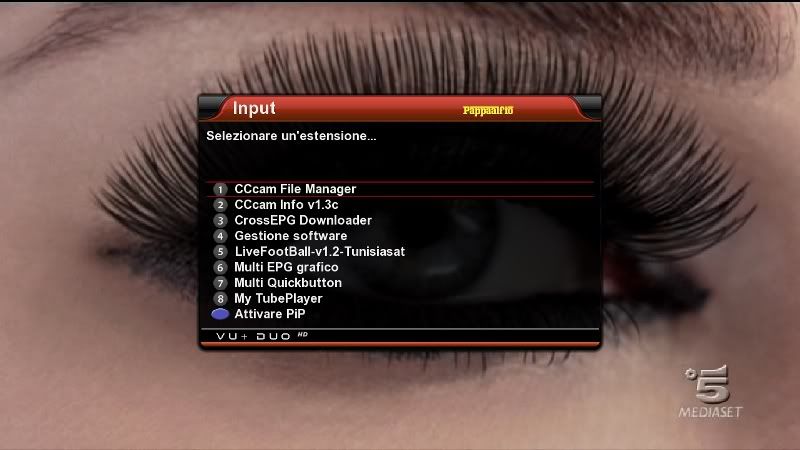
    BlackHole Vu+ Duo v 1.6 Graphics preview Backup Unnamed 06.05.2011


    Code:
    - Bootlogo changed (Blue Eyes <> Red Lip)
    - Smoke was pro HD skins ..
    - Tuner A DiSEq A / B / C / D: 42E/13E/7E/19E
    - Tuner B, Neutral ..
    - Galaxy2002 4 satellite settings, loaded 24-04-2011..
    - Service startup was founded ... Channel D was set to ...
    - CCcam 2.2.1 was founded ...
    - Established Mgcamd ..
    - Root password: vuduo (those who want to change the system password changer can change ...)
    - Merlin loaded music player ..
    - Uploaded EasyMedia ..
    - Uploaded Pzymail ..
    - Sherlock loaded ..
    - Apple Movie Tralier loaded ..
    - Hacksat loaded ...
    - Uploaded Webmedia
    - Uploaded Multimediathek ..
    - Transmission loaded ...
    - Subtitle Player is loaded
    - Dyndns Installed
    - YouTube is loaded ..
    - Webinterface black remote loaded ..
    - Zap loaded in the browser history ..
    - Weather plugin installed ... (istanbul ankara izmir trabzon samsun)
    - TunisiaSatAddOnManager loaded.
    - Installed LiveFootball ..
    - Netradio (2.5) is loaded ..
    - Added RSS ... (Haberturk)
    - nStream player installed ..
    - Loaded virtual zapping .. (ok.. Press and hold)
    - Network: DHCP
    - HD picon loaded (Turksat eutelsatw3) @ veyselcan
    Everything necessary for the installation of the following do you just loaded Pyload
    USB Version

    NFI Version

  8. #77
    VIP Member aguda's Avatar
    Join Date
    09-12-2007
    Posts
    10,437
    Uploads
    2,875
    Likes
    308

    Re: Backups image for Vuo+Duo


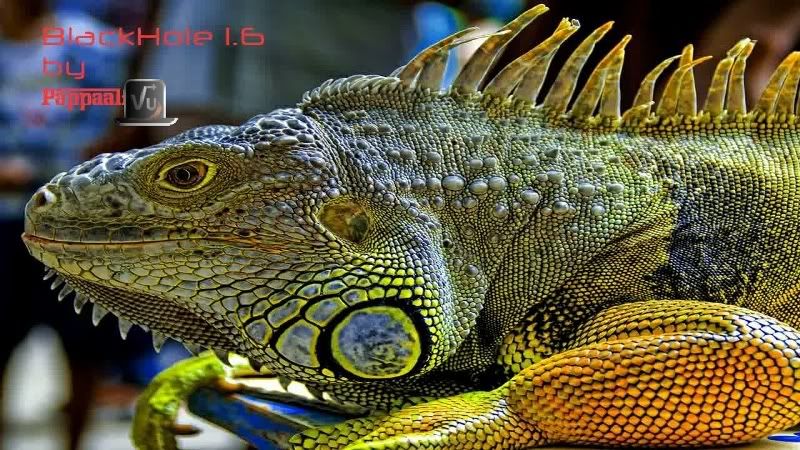
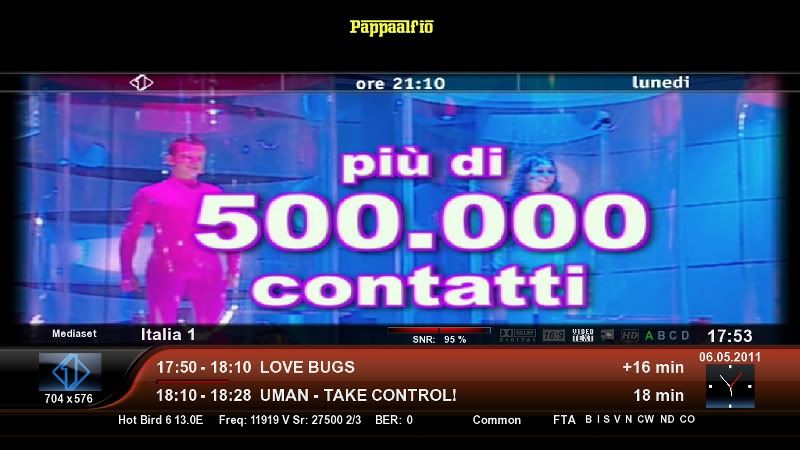
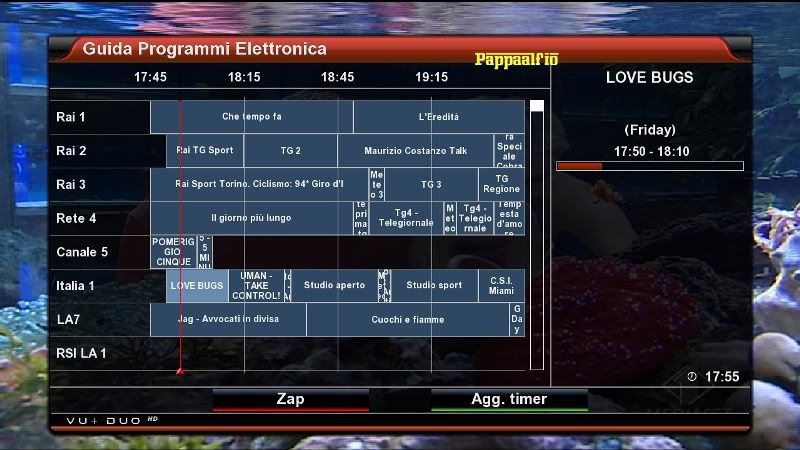
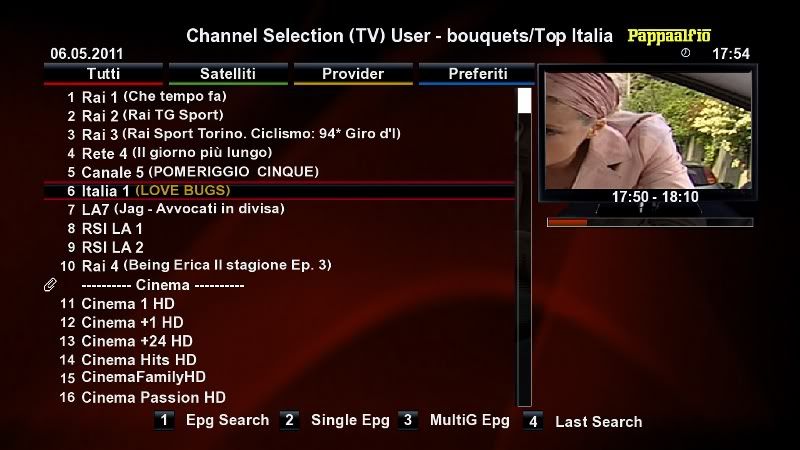
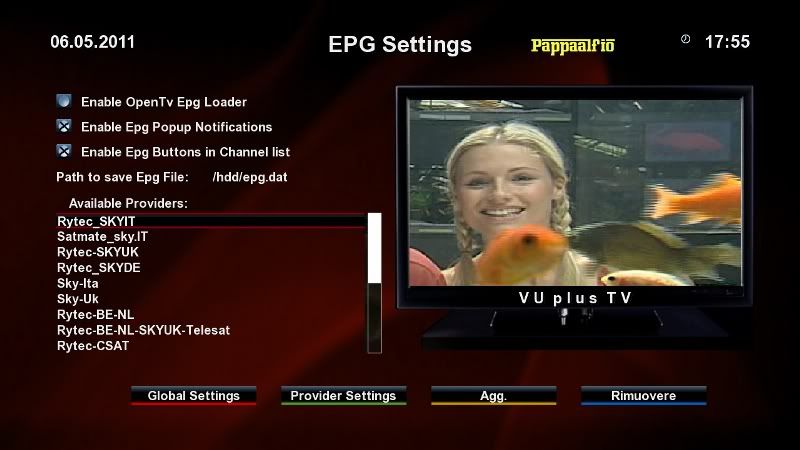
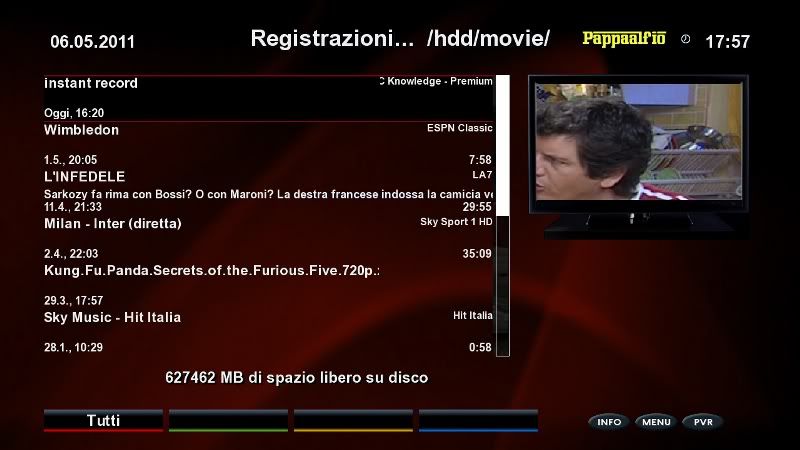
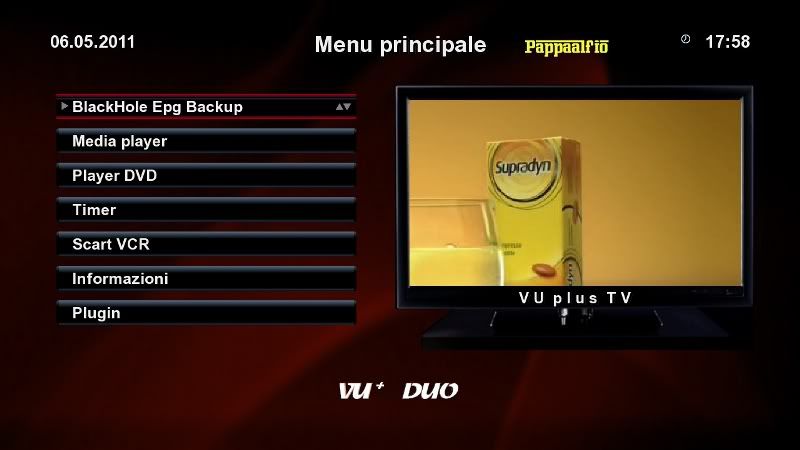
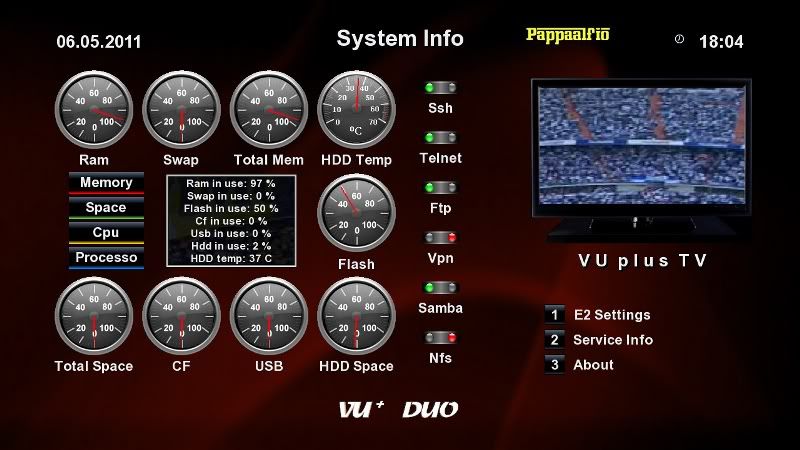
    BKP pappaalfio "IGUANA" based on Vuduo BlackHole rel 1.6


    Configurazione

    Rete: 192.168.1.99 subnet 255.255.255.0 DNS già configurati
    (questi parametri di rete restano per tutti i miei BKP)
    User = root nessuna password
    Tuner A: Hotbird-Astra Tuner B: in cascata da tuner A
    Setting VHannibal aggiornati al 5 Maggio 2011
    AV HDMI - Config Esperto

    Installazione

    Scollegare tutte le periferiche USB
    Flashare
    Prima del riavvio collegare le periferiche compresa la DTT USB (se compatibile con la lista) ed eventuali lettori Pcsc.

    Configurare la rete, i dns vanno bene..

    Montare eventuale HardDisk interno :
    TastoBlux2 > DeviceManager > Mountpoint > /media/hdd> Verifica ( ho tralasciato la formattazione che va fatta solo du HD nuovo)

    Creare Area di Swap (utilissima per effettuare il Backup) :
    come sopra opzione Swap file setting> Attivare con tasto rosso > Autostar (tasto giallo) OK

    Ora configurate il Dtt :
    Tasto blux2 > UsbTunerPanel > selectDrivers > Enable...
    ( potra succedere che la 1 volta non venga attivata, no problem, riavviare e rifare procedura esattamente come la prima volta, quando attivate vedrete caricare dei files e La spia verde andrà in "Working"

    Ricerca canali:

    Menu' > Configurazione > Ricerca Canali >Configurazione Tuner
    Tuner C (se non compare non è supportato)
    Selezionare la zona e OK
    Il parametro dei 5V non ha alcun effetto sulle penne USB

    Con exit ritornate al sottomenu > selezionate Ricerca Manuale>Selezionate il Tuner C> Tipo ricerca Completo> Ricerca Rete si> Cancellare prima di cercare SI >
    A ricerca terminata, exit


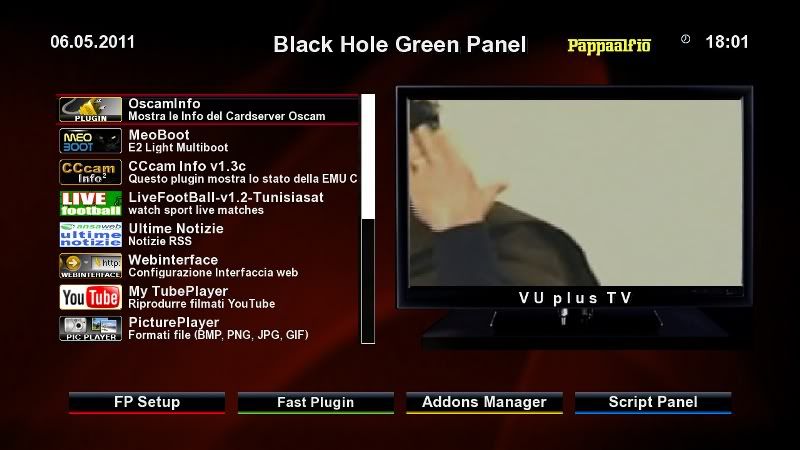
    Plugin


    OscamInfo (completamente tradotto in italiano)
    Meoboot
    3CInfo
    LiveFootball
    UltimeNotizie con nuovi Feeds
    Webinterface
    MultiQuickButton
    PicturePlayer
    MediaScanner
    MYTubePlayer
    3C FileManager
    Setting Update by m43c0
    CrossEpgDownloader


    Tutti i plugin installati sono funzionanti. Altri plugin potrete scaricarli dal Repo


    Sono già installati i drivers per il lettori PCSC.
    Nel BluPanel (tastoBlux2) troverete il client ed il server DLNA che Vi dà la massima flessibilità nella distribuzione multimediale in rete.


    Note


    Pannello degli script raggiungibile da pannello "scriptPanel" (verde+Blu) nel quale troverete una serie di comandi di utilità .
    Aggiunto script per scaricare i BlackPicons aggiornati direttamente da server.
    Tutto quanto installato a mano può essere rimosso con tastoverde+tastogiallo "Addons uninstall Panel"

    Attenzione: tutti gli script si avviano automaticamente con la selezione e quindi non richiedono conferme ulteriori. Una attenzione particolare agli script che iniziano con "Remove" !!

    Ciao


    LINK USB

  9. #78
    VIP Member aguda's Avatar
    Join Date
    09-12-2007
    Posts
    10,437
    Uploads
    2,875
    Likes
    308

    Re: Backups image for Vuo+Duo

    Blackhole Vu + Duo v. 1.6 - Graphics preview Backup @ isayuksel

    Code:
    First, a new image to the usb install the latest version of cihazımıza: (1) Vu + Duo USB with the image and build
    
    After installation to be done after the installation settings:: (2) Vu + Duo first setup settings
    
    Seçilidi HDMI.
    1080i is selected.
    Turkish language was chosen.
    DHCP on the network.
    
    At the point where you can search the channel or canal Stock List can install this. If you want to call before you'll need to channel tuner settings.
    
    For more information about how to channel call: (4) Vu + channel search and the favorite of creating Duo
    
    We check the setting network.
    
    Menu> Setup> System> Network in the "Network hardware settings" kumandamızın point to the "OK" button.
    
    Under the section for the current settings by getting the IP address of shout. (Channel settings when you install will have to get back the value of the rope.)
    
    If the link I gave about the problem, review the network setup issue: Vu + wired / wireless network setup and test procedure
    
    Channel settings before installing the Menu => Setup => System => Customize section, change the user experience as a specialist.
    
    Now you can install Settingimizi Channel: 4 Channel with a different method throw list (Contacts).


    Twin VU + Duo & Solo & Xtrend ET-9000 HDTV Channel Setting 24-04-2011 channel settings loaded. @ Galaxy2002
    
    Do not forget to reboot after installing the device channel settings.
    
    Menu> Setup> Satellite configuration> Tuner Tuner settings: Settings section to come.
    
    
    Tuner A: (simple), Not Set, set the way you want.
    Tuner B: (advanced) DisegC 1.1: 42 ° / 13 / ° 7 ° / 23.5 ° / 39 ° / 9 ° / 4.8 ° / 16 °
    
    Note: Notice that after you install the tuner ayarlamızı have made our list before the channel. Thus, due to the possible setting names of different satellites have prevented errors in the satellite broadcasting can be taken.
    
    Menu => Add-ons section came Kumandamızın Red button (Add-ons) are pressed. Updating the software catalog on the screen a message that says the system for a while after their stay will be a list of plugins into categories. When you press the OK button on the remotes come in any category, that category will be a list of add-ons. Here you installed is not built off ekelentilerdir olanalar. You want to install (or you want to remove), add-ons by checking the set up here (or remove).
    
    
    Add-on manager;
    The system is not active under the category PermanentClock.
    The system password is assigned under the category Setpasswd.
    StartUpService Canal System under the category D
    Under the Software category VlcPlayer
    SimpleRSS mail news under the Multimedia category (not active)
    Multi-media, press and hold the arrow under the VirtualZap
    Under media Weatheer Plugin Istanbul, Ankara and Mersin set.
    YouTubePlayer established under the Multi-media
    
    Install (or uninstall) and re-start after the end of the process tamamalandığı istemedğimiz with the question of whether a window will pop up. "Yes" by pressing the OK button on the Kumandamızın devices, while providing a reboot.
    
    Time Zone: (GMT +02:00) Athens, Istanbul, Minsk
    set as the startup service: Kanal D
    
    Emu are doing the installation:
    
    E2_CCcam_2.2.1_bh download file such as / tmp folder are sending below. Black Hole in the Addons Manager (kumandamızın green and yellow button pressed to come to this section), pointing to the Manual Install Bh packges kumandamızın pressing the OK button. While on file What kumandamızın again and press OK on the menu, yes I do the installation, and select OK uşuna.


    CCcam 2.2.1 Established | Established 1.3.5a Mgcamd | Bulsat Patch For File loaded.
    Patch File for Bulsat Load:
    Patched by pinkyto0o Bulsatcom mgcamd_1.35a would remove enigma2 download and unzip. Unzip the folder in the extracted
    mgcamd_1.35a file via ftp / usr / bin under the taking. (Available on the print the file)
    making the value of chmod 755.
    
    
    CCcam.cfg file / etc folder is located under. Server uses this knowledge to the file server must not resist.
    
    Backupda active glass: Mgcamd, cccam2.2.1 use cccam server to be activated. Server information can be entered to the following:
    
    Entering information in the file server Cccam.cfg
    
    
    Hacksat-Keys-downloader-e2_1.1-30102010_mipsel.rar download and update k.ey do.
    To set up Hacksat telnette
    Code:
    
    Export MALLOC_CHECK_ = 0
    ipkg install-force-overwrite / tmp / Hacksat *
    
    give the command.
    If the installation fails again, try to give the following command:
    
    
    ipkg update


    When you want to install plugins as external. Ipk file via ftp / tmp directory when you throw your remote, press the yellow before the green drop-down menu "Manual Install the ipk packges" remotes come on the "OK" button. You will see that you want to install the ipk file. Kumandamızın was selected even though the "OK" button you can install.
    
    tunisiasat manager_3.0 download-addons-founded.
    
    
    enigma2-plugin-extensions-dreamexplorer_6.9_mipsel.ipk was downloaded.
    
    enigma2-plugin-extensions-subtitleplayer_3.05_mipsel.ipk file was downloaded and


    Menu => Add-ons => tunisiasat-addons-manager_3.0 tunisiasat plugins to come in here, "Netradioturk_2.5" and "LiveFootbal" was established
    
    Nstreamplayer was 0.3 plugin.
    
    
    WebMedia plugin was downloaded. (@ Niendorfer)
    
    If you want to install the first green and then yellow button remotes Skin. Black Hole Addons Manager> Addons Download Manager> Black Hole E2 Image Skins section can come in different skins.
    
    Army CurveHD installed skins
    
    I gave a link below if you wish to change the subject by utilizing funds bootlogo and radio:
    
    Vu + Bootlogo exchange program and use ...
    
    Picon file if you want to upload. Türksat_Hotbird_Astra19_Eutelsatw3 picon file download and unzip the folder remove ndirdiğiniz / usr/share/enigma2 / directory should be submitted under. There is no bacupta.
    DOWNLOAD NFI
    Code:
    http://www.mediafire.com/?l9cvjwph99nqqen
    DOWNLOAD USB
    Code:
    http://www.filesonic.com/file/928113234/backupisayuksel_bh_1_6_vuduo.zip

  10. #79
    New Member
    Join Date
    29-09-2010
    Posts
    8
    Uploads
    0
    Likes
    0

    Thumbs up BKP pappaalfio "IGUANA" based on Vuduo BlackHole rel 1.6


    BKP pappaalfio "IGUANA" based on Vuduo BlackHole rel 1.6


    Configurazione

    Rete: 192.168.1.99 subnet 255.255.255.0 DNS già configurati
    (questi parametri di rete restano per tutti i miei BKP)
    User = root nessuna password
    Tuner A: Hotbird-Astra Tuner B: in cascata da tuner A
    Setting VHannibal aggiornati al 5 Maggio 2011
    AV HDMI - Config Esperto

    Installazione

    Scollegare tutte le periferiche USB
    Flashare
    Prima del riavvio collegare le periferiche compresa la DTT USB (se compatibile con la lista) ed eventuali lettori Pcsc.

    Configurare la rete, i dns vanno bene..

    Montare eventuale HardDisk interno :
    TastoBlux2 > DeviceManager > Mountpoint > /media/hdd> Verifica ( ho tralasciato la formattazione che va fatta solo du HD nuovo)

    Creare Area di Swap (utilissima per effettuare il Backup) :
    come sopra opzione Swap file setting> Attivare con tasto rosso > Autostar (tasto giallo) OK

    Ora configurate il Dtt :
    Tasto blux2 > UsbTunerPanel > selectDrivers > Enable...
    ( potra succedere che la 1 volta non venga attivata, no problem, riavviare e rifare procedura esattamente come la prima volta, quando attivate vedrete caricare dei files e La spia verde andrà in "Working"

    Ricerca canali:

    Menu' > Configurazione > Ricerca Canali >Configurazione Tuner
    Tuner C (se non compare non è supportato)
    Selezionare la zona e OK
    Il parametro dei 5V non ha alcun effetto sulle penne USB

    Con exit ritornate al sottomenu > selezionate Ricerca Manuale>Selezionate il Tuner C> Tipo ricerca Completo> Ricerca Rete si> Cancellare prima di cercare SI >
    A ricerca terminata, exit


    Plugin


    OscamInfo (completamente tradotto in italiano)
    Meoboot
    3CInfo
    LiveFootball
    UltimeNotizie con nuovi Feeds
    Webinterface
    MultiQuickButton
    PicturePlayer
    MediaScanner
    MYTubePlayer
    3C FileManager
    Setting Update by m43c0
    CrossEpgDownloader


    Tutti i plugin installati sono funzionanti. Altri plugin potrete scaricarli dal Repo


    Sono già installati i drivers per il lettori PCSC.
    Nel BluPanel (tastoBlux2) troverete il client ed il server DLNA che Vi dà la massima flessibilità nella distribuzione multimediale in rete.


    Note


    Pannello degli script raggiungibile da pannello "scriptPanel" (verde+Blu) nel quale troverete una serie di comandi di utilità .
    Aggiunto script per scaricare i BlackPicons aggiornati direttamente da server.
    Tutto quanto installato a mano può essere rimosso con tastoverde+tastogiallo "Addons uninstall Panel"

    Attenzione: tutti gli script si avviano automaticamente con la selezione e quindi non richiedono conferme ulteriori. Una attenzione particolare agli script che iniziano con "Remove" !!

    Ciao


    LINK USB

  11. #80
    VIP Member aguda's Avatar
    Join Date
    09-12-2007
    Posts
    10,437
    Uploads
    2,875
    Likes
    308

    Re: VTi V 2.2"Vu+Duo Team Image" Sat4fun's Hispasat Ready Back Up 20.11.2010

    BKP BH 1.6a by jblimon


    New bootlogo by jblimon

    Spinner by jblimon

    Lista de canales Vhannibal 19ºE/13ºE actualizada

    USB_TDT Avermedia Volar Black HD A850 activado

    EMU
    CCcam 2.2.1
    CCcam.Channelinfo
    CCcam.providers
    CCcam.prio
    (updated)

    Plugins
    Los que trae la imagen mas
    CrossEPG 0.6.2 + mhw2
    Backup_Script_to_HDD
    TSPanel 1.0

    :0003:

    gracias a jblimon

    Download BH16a_by_jblimon_USB.zip

Page 8 of 18 FirstFirst ... 367891013 ... LastLast
Advertise Here

Similar Threads

  1. VU+E2 Image 2.0 for DM8000(mbox image)
    By aguda in forum Dreambox DM 8000 HD PVR Images
    Replies: 0
    Last Post: 09-01-2010, 00:53:09
  2. image
    By eskiyaaslan in forum German / Deutsch
    Replies: 0
    Last Post: 14-08-2009, 00:36:44
  3. Backups DM-500
    By totox69 in forum Dreambox DM 500 / DM 500+ Images
    Replies: 0
    Last Post: 15-09-2008, 10:00:35
  4. backups 500s
    By goodtrick in forum Dreambox
    Replies: 0
    Last Post: 11-09-2008, 11:04:10

Posting Permissions

  • You may not post new threads
  • You may not post replies
  • You may not post attachments
  • You may not edit your posts
  •