
HD Glass16 ver. 7.14
- added support for latest Dream Elite image 4.0 (001-r3) - older removed
Update is available online via setup
HD Glass16 ver. 7.14






HD Glass16 ver. 7.14
- added support for latest Dream Elite image 4.0 (001-r3) - older removed
Update is available online via setup
HD Glass16 ver. 7.14
HD Glass16 ver. 7.15
- updated pl translation (thx kosmacz)
- fix bitrate info if bitrateviewer binary is used
Update is available online via setup

HD Glass16 ver. 7.16
- bitrate info: blocked old bitrateviewer binary
- fix some screens of the latest ViX image (VU+)


HD Glass16 ver. 7.22
- fix Menu type: "Icons" in BH OE 2.0 (VU+)
- Menu Icons updated in download menu
Update is available online via setup
HD Glass16 ver. 7.24
Code:- fix installer to "py" cleaned images - fix infoECM plugin by Duri - added new Channelsel. type: PIG(+act,next,left) - help updated in download Update is available online via setup

HD Glass16 ver. 7.27
- fix DVB-C info in TP infoline
- fix support for HDBOX - changed PIG resolution in all needed screens
- fix Channelselection 2xOK


HD Glass16 ver. 7.28
- fix EMCSelection screen
- added new option: PIG type with options: with frame, big PIG
- help updated in download
- updated pl, sk, cz, en, ru, de, it, uk, pt, tr, es, fa, al translations
Update is available online via setup
HD Glass16 ver. 7.29
- added detection of Panaccess (after restore icons type will be set to default
type 1, so after update and autorestore you must download icons and previews
and then set/select your prefered icons type)
- piconCam (white, black) updated in download
- icons sets updated in download
Update is available online via setup
Thx @shamann


HD Glass16 ver. 7.31
- updated/fixed cs translation (thx Quido56)
- added detection of Panaccess and Exset in infoECM plugin by Duri
- added screen 38
- previews and extrascreens graphics updated in download
- added detection of Exset (after restore icons type will be set to default
type 1, so after update and autorestore you must download icons and previews
and then set/select your prefered icons type)
- piconCam (white, black) updated in download
Update is available online via setup

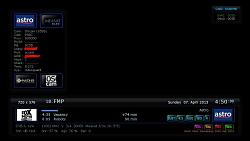
It worked with my current picon. It a very nice skin complete with all information.
 Posting Permissions

 Reply With Quote