


Hi everybody
Here is as promised a small tutorial IN IMAGES for those interested in the recordings on receiver ICOSIUM Mini S1
'' '' '' '' '' '' '' '' '' '' '' '' '' '' '' '' '' '' '' '' '' '' '' '' '' '' '' '' '' '' '' '' '' '' '' '' '' '' '' '' '' '' '' '' '' '' '' '' ''
1 / Go to menu
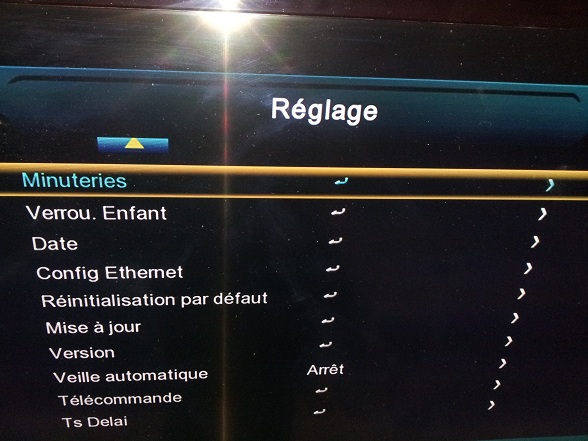
2 / Go to setting
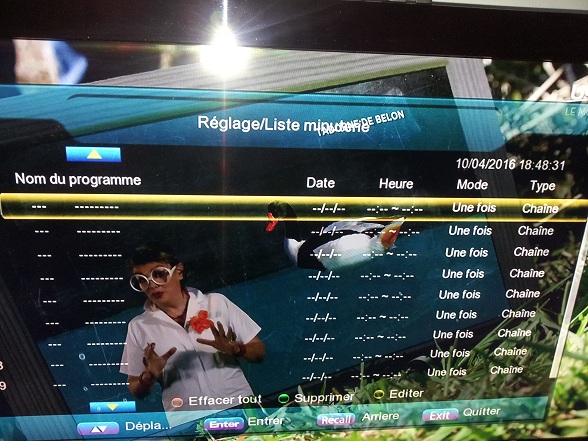
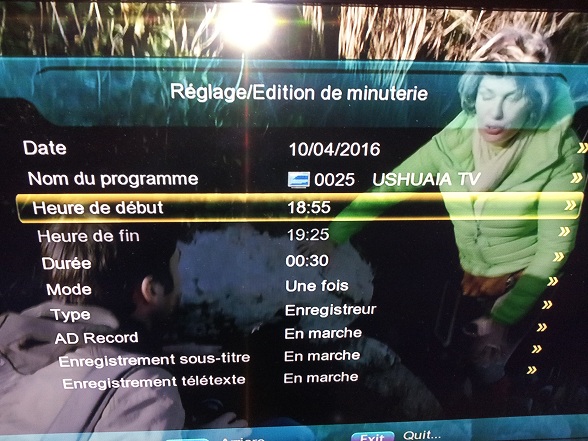
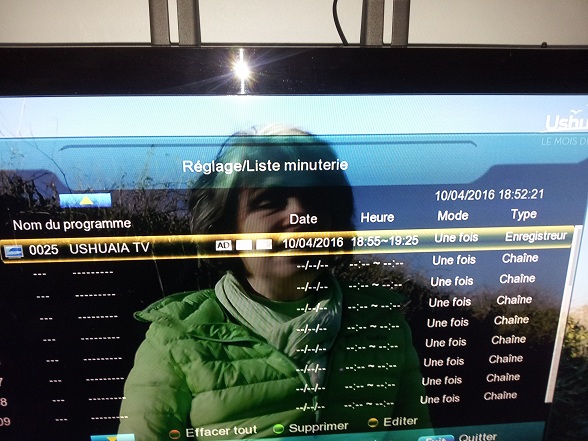
3 / CLIK On timer, you will have this window
4 / Go to the first line ---
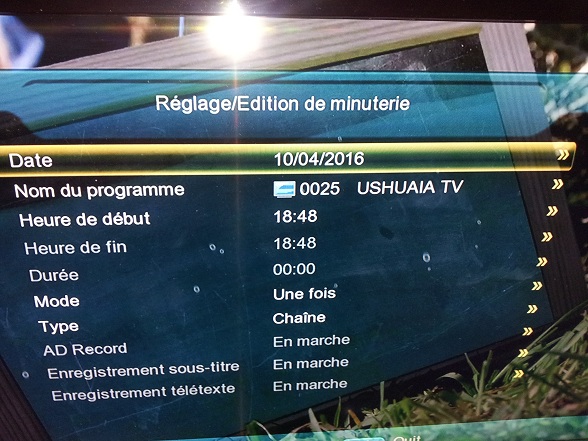
5 / CHOOSE THE HOUR OF START as in my example -- 18H40
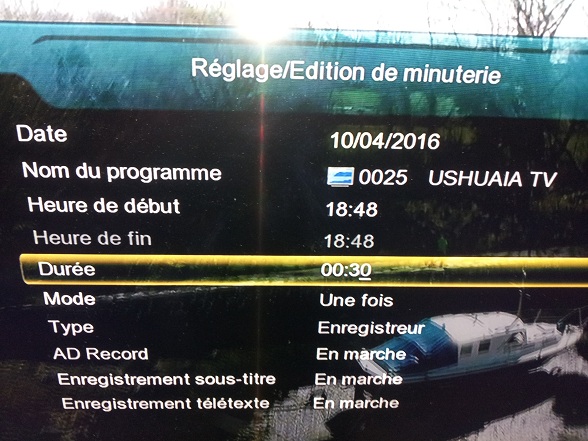
GO TO MODE TYPE AND CHOSE --- recorder (right volume button and no Button ok)
6 / Once this done you will have the 5th LINE (Duration activated), so put the hardness you want!
YOU SHOULD Having this window --
Date - program name - start time - end time - Duration - once - RECORDER
7 / If you want to change program of chain, just put on the first line and button VOLUME RIGHT, you will have the list of chains!
8 / Go to the first line or there is the program (string) clik OK
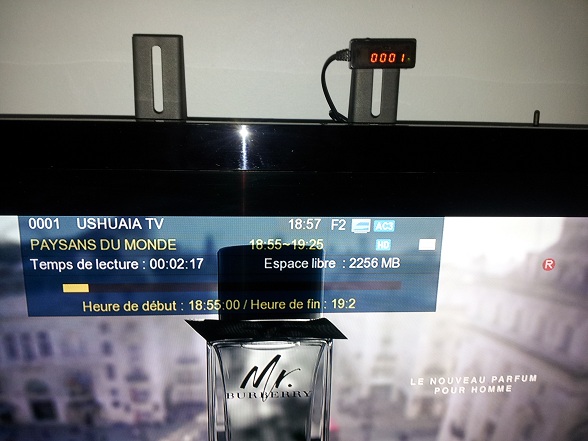
9 /now its ok , at the chosen time you will see the start of the recording as shown in this picture
Problems encountered and options
1 / no recording if demos on standby on the same channel in progress
2 / no recording if demos on standby on a channel other than the current one
3 / While recording, you can not see another channel!
4 / if I put on a chain and I program a recording on the same channel at a specific time, ----> recording is done! And I must say that the picture quality is exelente, the same as if you were there in real time!
Here, I hope that it will help the owners of the icosium for this option recordings!
Good hack
by MOBRA31



 Reply With Quote