


[IMG]http://************.com.al/images/icons/post_new.png.gif[/IMG]
VU+ Skin Slyk-Q (Instalacja - FAQ)
Ustawienia OSD ... (U¿ycie i GUI ... Ustawienia OSD) - lokalizacje menu vix bêd± nieco inne
2. Infobar - 2. infobar INFO
Poka¿ piksele infobaryczne - tak
Poka¿ pasek informacyjny przy przewijaniu do przodu / do ty³u - tak (wymagane w przypadku ikony wstrzymania filmu)
Poka¿ numer kana³u w infobar - tak
Poka¿ kolor t³a picon - Wy³±czone
Poka¿ informacje o kryptografii w infobar - Dwie linie
Poka¿ status PVR w infobar MoviePlayer - tak
Welcome to Slyk Q HD (Version 1.018)
Recommended Settings
Reset transparency
Menu... setup...system...user interface...position setup...user interface visibility(OpenVIX)
Menu > Setup > Usage & GUI > Extended GUI > OSD Position(OpenATV)
change the settings to 255.
Channel selection settings...
Show event-progress in channel selection – Progress bar right
Show channel numbers in channel selection – yes
Show crypto Icons – Left from service/name
Show columns.. 175 pixels wide
Number of rows 16
Service info font size -2
Multi EPG settings....
Number of rows 18
All font sizes 0
Single EPG Settings...
Number of rows 18
All font sizes 0
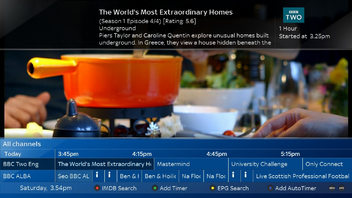
Infobar EPG Settings...
View mode - Single EPG or Multi EPG
Number of rows 2
All font sizes 0
Graphical infobar EPG Settings…
Number of rows 2
All font sizes 0
Timeline font 0
Service width 200
Time scale 120 minutes
GraphicalEPG settings…
All font sizes 0
Number of rows 14 - set to 10 in the skin for epg.
Service width 200
Time scale 120 minutes
Red Button - your preference
Green Button - your preference
Yellow Button - your preference
Blue Button - your preference
EPG Settings...
Show EIT now/next in infobar....YES
Enable EIT EPG.... YES
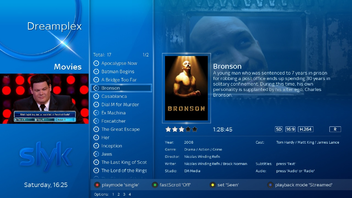
Movie Planner settings… (file list button… menu…settings)
Font Size 0
Number of rows 8 - 14
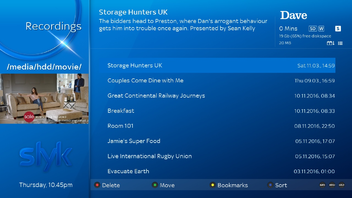
use extended list - slyk q planner - (see modifications in my slyk1hd dropbox skin folder)
show status icons in movielist - icons
show icon for new/unseen - yes
OSD settings… (Usage & GUI… OSD settings) – vix menu locations will be slightly different
2nd Infobar – 2nd infobar INFO
Show infobar picons – yes
Show infobar on skip forward/backward - yes (required for movies pause icon)
Show channel number in infobar – yes
Show picon background colour – Disabled
Show crypto info in infobar – Two lines
Show PVR status in MoviePlayer infobar
Code:https://www.dropbox.com/sh/kn6apupi45vs8an/AAA1GLMBPjwnaoFCVNiWaD7Za?dl=0



 Reply With Quote

