





Fix Update Download Manage Extensions
Update Image 9.2 OE2.5 dm900
update dm900/dm920 hardware drivers
--------------------------------------
Scaricare oscam
Uscire dal pannello
Rientra e attiva la oscam
-----------------------------
Download oscam
Exit the panel
Return and activate the oscam
------------------------------------
config oscam Ncam
var/tuxbox/config/OScam
var/tuxbox/config/Ncam
------------------------------
Default/Skin ZSkin.FHD
------------------------------
Download settings dal menu-Plugin-oppure dal tasto blu
DemonSetting
-------------------------
Download settings from the menu-Plugin-or the blue button
DemonSetting
-------------------------
Date: 2020-05-21 22:02:21.778677
Distro: opendreambox 2.5.0
Drivers: 3.14-1.17-dm900-20200226-r0.0
Enigma2: 4.3.2r12-r0.1
Kernel: kernel-image-3.14-1.17-dm900, kernel-image-zimage, kernel-image-zimage-3.14-1.17-dm900 3.14-r0.1
MD5: b4d12eb34aab968df33730119b9a3142
Machine: Dreambox DM900
SHA256: 7e2cb9b63055dfa6145f7a21c0448f82a7f6e9cc c4b5094c30a3dc3d07dff8ca
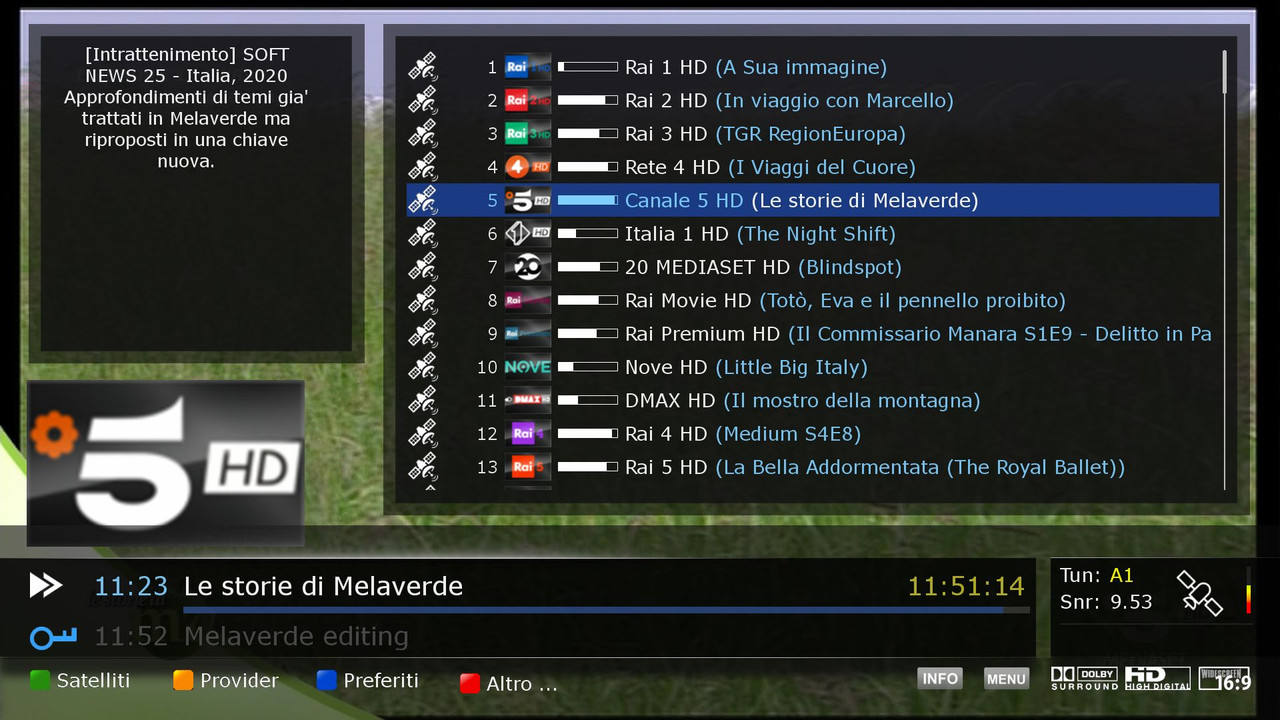
New Skin Default
ZSkin.FHD Thanks mmark
se volete cambiare
andate in
Menu,Configurazione,Audio e Video.Skin..inserire la Dreamy
---------------------------------------------------------------------------------------
Skin Default ZSkin.FHD Thanks mmark
if you want to change
go in
Menu, Setup, Audio and Video.Skin.. insert the Dreamy
-------------------------------------------------------------------------------
Panel made by the BoxPirates team
Edit by the demonisat team
Thanks to Team BoxPirates
Extra Download
Code:https://www.file-upload.net/download-14094759/DMS-IMAGE-DM900-9.2.zip.htm

 Reply With Quote