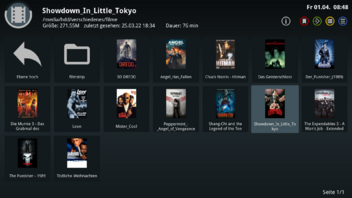
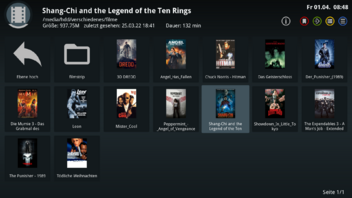
Skin Zombi Shadow FHD V10.3-r6
-Some progress information has been changed back to svg (so the Colorful can be used again. (Current DreamOS from just now is a requirement, otherwise you will have wrong progress information.
Thx @Zombi


Skin Zombi Shadow FHD V10.3-r6
-Some progress information has been changed back to svg (so the Colorful can be used again. (Current DreamOS from just now is a requirement, otherwise you will have wrong progress information.
Thx @Zombi
Update 06.11.21 v10.3-r8
Thx @Zombi- The new mid views in the skin have all been swapped sideways, means the list is now on the left, information is on the right
- The banner channel list changed a little, the cursor should now be more effective
- Tuner displays in the entire skin and switchable screens switched back to INPUT, so from now on the tuner inputs are displayed again and not the demods (that will stay that way), if you want that, you should skin it differently.
Update 13.11.21 v10.3-r9
Thx @Zombi- kleine interne Anpassungen
- skinbare default Kanalliste hat eine schaltbare gewünschten ListenAnsicht mehr bekommen sowie die Primetime Ansicht ein wenig angepasst
Update 12.12.21 v10.3-r14
- internal cleanup
- Adjusted the Select on some screens
- Prepare for upcoming changes
- New color Entryselect defined, that is currently. only in use with the two Graph Multiepg, so everyone can adjust the font color when selecting if the selected default does not suit one
Update 19.12.21 v10.3-r15
Thx @Zombi- further internal clean-up work.
- default main menu now has a scroll bar instead of the narrow cursor.
- Prepare for upcoming changes.
- Color Entryselect now for the cursor in the graph epg.
- both graph EPG changed a little.
- adapted to current GP4.1 changes.
Update 20.12.21 v10.3-r16
Thx @zombi- further internal cleanup
- default main menu now has a scroll bar instead of the narrow cursor
- Prepare for upcoming changes
- adapted to current GP4.1 changes
Update 06.01.22 v10.3-r20
Thx @zombi- further internal clean-up work- Support for new current GP4.1 plugins
- Made small changes to some screens
- more time information in the flat movie bar
- Removed single line Time Now / End
-Update 07.11.2024
New edit
First, install the weather plugin from the panel (important)
1- To install this skin, just unzip the usr folder and copy it to the root of the device with dcc
2- Copy the styles_user.xml file in the etc/enigma2 path
3- Restart the device gui
4-Now, with the styles plugin, set the value of infobar, channel selection and EPG selection to the DR.SAT option.
5-Choose the Shadow Zombie skin and enjoy this beautiful skin.
Thx @ Ahmed
 Posting Permissions

 Reply With Quote