Advertise Here
Advertise Here
Advertise Here
Advertise Here
Results 1 to 3 of 3

Thread: [Skin] NitroHoneycombFHD-V4BY Kaleem

  1. #1
    Contributing Member
    Join Date
    07-09-2010
    Posts
    1,054
    Uploads
    37
    Likes
    1,154

    [Skin] NitroHoneycombFHD-V4BY Kaleem

    Skin.NitroHoneycombFHD-V4BY Kaleem

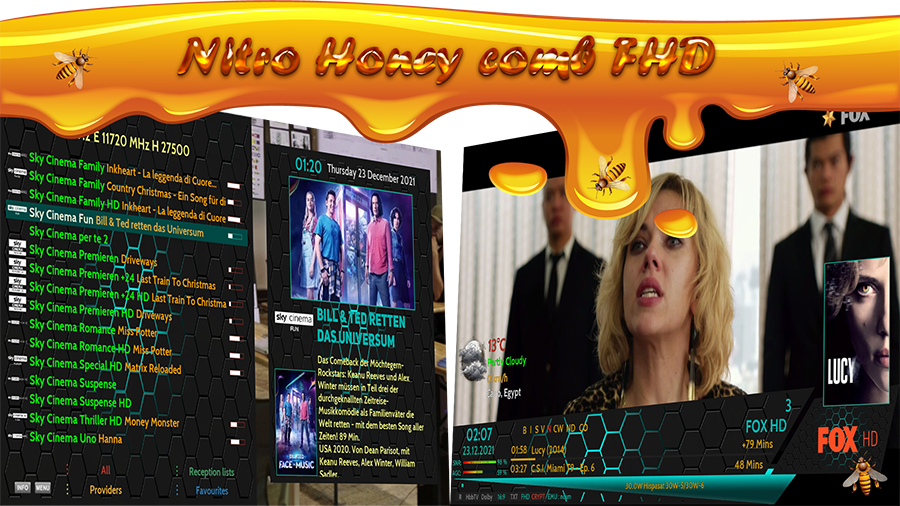
    The nitro skin appears in a new form under the name "Honeycomb".

    For the first time, the multi-screen method is used to choose between them according to the user's taste.

    The skin is based on the awesome plugin Extra Event for developer @diging.

    And for those who want to use it without plugins, there are PosterX based screens.


    Newly Added:

    -Changed the appearance of sound and mute
    -Changed the shape of the buttons to be circled
    -Added Screen Resolution to info bar


    Change weather:

    signal bar


    Compatibility:

    Open Vision 10.2 (Everything works fine except the extra selection)

    Open Vision 10.3 (Everything works fine except the extra selection)

    OpenATV 6.3 (Everything works fine)

    OpenATV 6.4 (Everything works fine)

    OpenATV 7.0 (Everything works fine)

    OpenDroid 7.0 (Everything Works Fine)

    OpenPLi 8.0 (Everything works fine except the extra selection)

    OpenSpa 7.5 (everything works fine except the Channel Select extra selection)

    OpenSpa 7.4 (Everything works fine except the Channel Select extra selection)

    OpenVIX 5.4 (Everything works fine except the extra selection)

    OpenBlackHole (Everything works fine except the extra selection)

    Code:
    opkg install /tmp/*.ipk
    
    tar xzvpf /tmp/*.tar.gz -C /


    Special thanks to @oktus for his support and help in the design

    Thx @ Kimoo1987 , biko)
  2. Advertise Here
  3. #2
    Super Moderator Mafia_DZ's Avatar
    Join Date
    20-11-2008
    Location
    the justice of god
    Posts
    5,987
    Uploads
    8,600
    Likes
    18,607

    Re: [Skin] NitroHoneycombFHD-V4BY Kaleem

    Skin Nitro Advanced

    version-5.0


    Our goal is to learn and developed for better ....
    On the way of Nitro and to complement the diversity in the collection of the skin ...
    Now Nitro comes in 10 different colors...Designed with a gradient of color with a smooth flow
    (black - blue - green - light blue - violate - purple - yellow - bronze - red - gold)


    The colors are not code backgrounds, but rather designed images, so it is possible to control the change of the skin from the list of options to completely change the skin with its entire contents, whether --- lists, infobar, and channel list --- completely separate from the skins .....


    Therefore, it is 10 skins, not one skin, to satisfy all tastes.


    The advanced nitro plugin has been developed to work on all images based on openpli or open source


    Thanks very much TO


    - designer Oktus for his continuous support and support in designs (virtual picon- boot background - spinner)
    - developer, (Fairbird) for his assistance in modifying and developing the blogs to come out in such a wonderful way.
    - developer Redouane, to help add the update feature from the plugin
    - My colleague, Kaleem ... for his perseverance to make the work a success so that it will come out in its final form


    What has been added again byskin version 5.0

    - Now from the nitro plugin, the choice is made to allow updates to appear - so any improvements to the skin will reach you immediately
    It is also possible to switch between the different colors of the skin


    - Designing the current event bar (progress bar) on infobar in a new innovative way
    - New look design for sound bar
    - Add tuner codes
    - Adding the backdrop to the infobar


    - New design for the second infobar background & (progress bar)


    - has been modified to show 3D stars with the appearance of backdrops and banners


    - 3D icons display has been added to the menu


    - Improved weather on skin Nitro to be independent of the weather plugin (still under development)
    - Modify coding information to match well py2 and py3
    - Waiting screen issue fixed
    - A new spinner has been designed from the skin colors
    - New default bacon has been designed
    - A new preview has been designed to express the skin when it is selected from the list
    - All images for backgrounds and info-bars have been processed to be of the highest quality and least size, so that the skin is lighter and faster.


    It was taken into account not to put any fingerprints or faces of the team or its members on the different screens (only in the about screen).


    The skin is based on the wonderful plugin Extra Event from the developer digiting to show the aesthetics of the poster, backdrop, banner and rating ... so you must make sure to install it


    The skin file is attached with the extension "ipk" - "tar" as well as the download code

    https://raw.githubusercontent.com/bi...n/installer.sh
    Attached Files Attached Files

  4. #3
    Sat-tv te@m dreams@t's Avatar
    Join Date
    15-04-2006
    Location
    FunFiles City
    Posts
    11,330
    Uploads
    6,439
    Likes
    31,837

    Re: [Skin] NitroHoneycombFHD-V4BY Kaleem

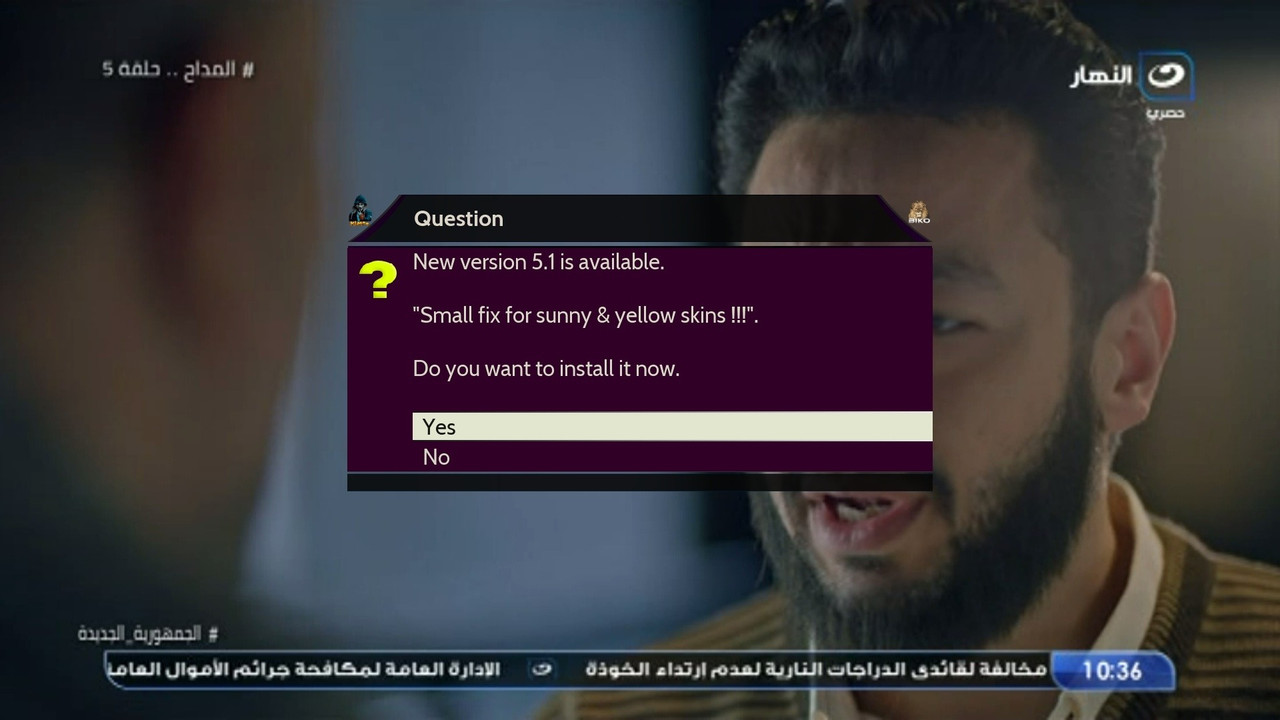
    Skin Nitro Advanced V-5.1
    -Small fix for sunny & yellow skins


    Update from skin - code - ipk - tar


    Thx @biko-73


    Attached Files Attached Files

Advertise Here

Similar Threads

  1. Update ║E²║Skins║Hdsuisse FHD Merlin ║v.12.6║DreamOS║
    By dreams@t in forum Enigma2 Skins
    Replies: 48
    Last Post: 23-01-2026, 19:30:13
  2. Dream skin studio, e-skin ou les télécharger?
    By airtux in forum French / Français
    Replies: 0
    Last Post: 24-05-2012, 03:37:48
  3. Cherche Skin Validation 8 pour crée un nouveau skin
    By airtux in forum French / Français
    Replies: 0
    Last Post: 01-05-2011, 12:27:16
  4. Vu+ HD Skin
    By wahid in forum Enigma2 Skins
    Replies: 0
    Last Post: 16-04-2010, 00:12:47
  5. LT6 Skin HD E2
    By wahid in forum Enigma2 Skins
    Replies: 1
    Last Post: 15-04-2010, 23:40:05

Posting Permissions

  • You may not post new threads
  • You may not post replies
  • You may not post attachments
  • You may not edit your posts
  •