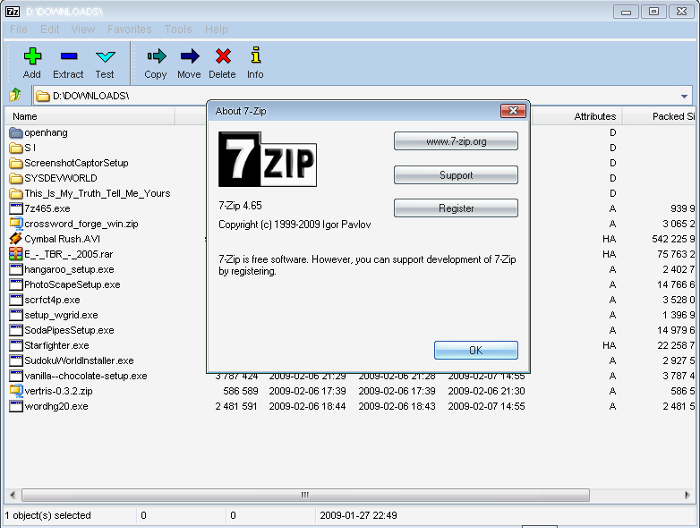
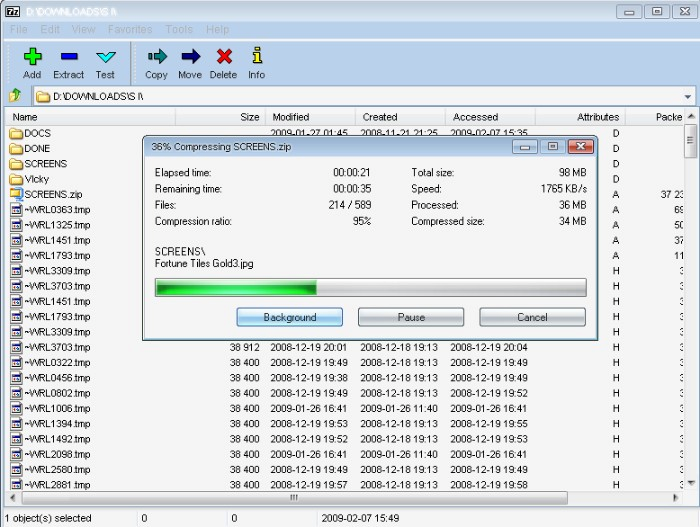
7-Zip File archiver
Versıon: 25.01
UPTADE : 20.09.2025 / and--02


7-Zip File archiver
Versıon: 25.01
UPTADE : 20.09.2025 / and--02
Latest Versıon of 7-Zıp file arciver
Versıon: 25.01
UPTADE: 27.12.2025
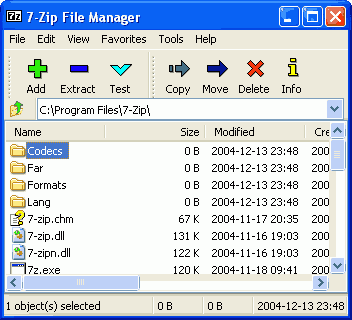
7-Zip is a file archiver with a high compression ratio. 7-Zip works in Windows 11 / 10 / 8 / 7 / Vista / XP / 2022 / 2019 / 2016 / 2012 / 2008 / 2003 / 2000.
You can use 7-Zip on any computer, including a computer in a commercial organization. You don't need to register or pay for 7-Zip. And there is command line version for Linux and macOS. Most of the source code is under the GNU LGPL license. The unRAR code is under a mixed license with GNU LGPL + unRAR restrictions. Check the license for details.
Latest Versıon of 7-Zıp file arciver
Versıon: 26.00
UPTADE: 12.02.2026
Download 7-Zip 26.00 (2026-02-12) for Windows:7-Zip 26.00
We recommend to use exe type installer instead of msi installer version.
Link Type System Description Download .exe 64-bit Windows x64 7-Zip installer for Windows Download .exe 32-bit Windows x86 Download .exe 64-bit Windows arm64 Download .msi 64-bit Windows x64 (alternative MSI installer) 7-Zip for 64-bit Windows x64 Download .msi 32-bit Windows x86 (alternative MSI installer) 7-Zip for 32-bit Windows Download .7z Windows x86 / x64 7-Zip Extra: standalone console version, 7z DLL, Plugin for Far Manager Download .tar.xz 64-bit Linux x86-64 7-Zip for Linux: console version Download .tar.xz 32-bit Linux x86 Download .tar.xz 64-bit Linux arm64 Download .tar.xz 32-bit Linux arm Download .tar.xz macOS (arm64 / x86-64) 7-Zip for MacOS: console version Download .7z any / Windows 7-Zip Source code Download .tar.xz any / Windows 7-Zip Source code Download .7z any / Windows LZMA SDK: (C, C++, C#, Java) Download .exe Windows 7zr.exe (x86) : 7-Zip console executable
Latest Versıon of 7-Zıp file arciver
Versıon: 26.00
UPTADE: 12.02.2026
7-Zip 26.00
What Makes 7-Zip Special?
7-Zip isn’t just another compression tool; it’s a powerhouse with some standout features:
●High Compression Ratio: 7-Zip’s native .7z format, powered by LZMA and LZMA2 compression, often outperforms ZIP and RAR in terms of file size reduction.
●Wide Format Support: It can compress into 7z, XZ, BZIP2, GZIP, TAR, ZIP, and WIM formats, while also extracting a massive list of others, including RAR, ISO, DMG, NTFS, CAB, and even some obscure formats like SquashFS and CramFS.
●AES-256 Encryption: For securing your files, 7-Zip offers strong AES-256 encryption in 7z and ZIP formats.
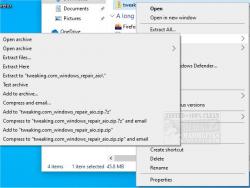
●Windows Shell Integration: Right-click a file, and boom—compression and extraction options are right there in the menu.
●Self-Extracting Archives (SFX): Create .7z archives that can extract themselves without needing 7-Zip installed.
●Command-Line Power: Power users can automate tasks with the command-line version, making batch processing a breeze.
●Portable Version Available: Need 7-Zip on the go? There’s a portable version that runs without installation.
DOWNLOAD
http://7z2600.exe
http://7z2600-x64.exe
http://7z2600-arm64.exe
http://7z2404.exe
http://7z2404-x64.exe
http://7z2404-arm64.exe
Latest Versıon of 7-Zıp file arciver
Versıon: 26.01
UPTADE: 27.04.2026
7-Zip 26.01
What Makes 7-Zip Special?
7-Zip isn’t just another compression tool; it’s a powerhouse with some standout features:
●High Compression Ratio: 7-Zip’s native .7z format, powered by LZMA and LZMA2 compression, often outperforms ZIP and RAR in terms of file size reduction.
●Wide Format Support: It can compress into 7z, XZ, BZIP2, GZIP, TAR, ZIP, and WIM formats, while also extracting a massive list of others, including RAR, ISO, DMG, NTFS, CAB, and even some obscure formats like SquashFS and CramFS.
●AES-256 Encryption: For securing your files, 7-Zip offers strong AES-256 encryption in 7z and ZIP formats.
●Windows Shell Integration: Right-click a file, and boom—compression and extraction options are right there in the menu.
●Self-Extracting Archives (SFX): Create .7z archives that can extract themselves without needing 7-Zip installed.
●Command-Line Power: Power users can automate tasks with the command-line version, making batch processing a breeze.
●Portable Version Available: Need 7-Zip on the go? There’s a portable version that runs without installation.
Geek Verdict
7-Zip is one of those tools that you should have on your PC. It’s lightweight, free, and ridiculously efficient. Whether you’re a casual user zipping up some vacation photos or a power user running scripts for massive data compression, 7-Zip delivers. No ads, no bloat, just solid file compression magic.
Bottom line: If you need a fast, free, and powerful file archiver, 7-Zip is a must-have. Download it, set it as your default, and never look back.
DOWNLOAD
http://7z2601.exe
http://7z2601-x64.exe
http://7z2601-arm64.exe
Latest Versıon of 7-Zıp file arciver
Versıon: 26.01
UPTADE: 27.04.2026
Download 7-Zip 26.01 (2026-04-27) for Windows:7-Zip 26.01
We recommend to use exe type installer instead of msi installer version.
Link Type System Description Download .exe 64-bit Windows x64 7-Zip installer for Windows Download .exe 32-bit Windows x86 Download .exe 64-bit Windows arm64 Download .msi 64-bit Windows x64 (alternative MSI installer) 7-Zip for 64-bit Windows x64 Download .msi 32-bit Windows x86 (alternative MSI installer) 7-Zip for 32-bit Windows Download .7z Windows x86 / x64 7-Zip Extra: standalone console version, 7z DLL, Plugin for Far Manager Download .tar.xz 64-bit Linux x86-64 7-Zip for Linux: console version Download .tar.xz 32-bit Linux x86 Download .tar.xz 64-bit Linux arm64 Download .tar.xz 32-bit Linux arm Download .tar.xz macOS (arm64 / x86-64) 7-Zip for MacOS: console version Download .7z any / Windows 7-Zip Source code Download .tar.xz any / Windows 7-Zip Source code Download .7z any / Windows LZMA SDK: (C, C++, C#, Java) Download .exe Windows 7zr.exe (x86) : 7-Zip console executable
Latest Versıon of 7-Zıp file arciver
Versıon: 26.01
UPTADE: 16.05.2026
7-Zip 26.01Sistem Gereksinimleri
7-Zip 26.01, Windows 11, 10, 8 ve 7 işletim sistemlerinde çalışır; ayrı 32 bit ve 64 bit yükleyicileri ve bağımsız taşınabilir bir sürümü mevcuttur. Kurulum sonrası
kapladığı alan yaklaşık 1,6 MB'tır ve Explorer kabuğu entegrasyonu kurulum sırasında isteğe bağlıdır. Resmi pakette telemetri veya reklam yazılımı bulunmamaktadır.
DOWNLOAD
http://7z2601 (1).exe
http://7z2601-x64 (1).exe
Latest Versıon of 7-Zıp file arciver
Versıon: 26.02
UPTADE: 27.06.2026
7-Zip 26.02
What Makes 7-Zip Special?
7-Zip isn’t just another compression tool; it’s a powerhouse with some standout features:
●High Compression Ratio: 7-Zip’s native .7z format, powered by LZMA and LZMA2 compression, often outperforms ZIP and RAR in terms of file size reduction.
●Wide Format Support: It can compress into 7z, XZ, BZIP2, GZIP, TAR, ZIP, and WIM formats, while also extracting a massive list of others, including RAR, ISO, DMG, NTFS, CAB, and even some obscure formats like SquashFS and CramFS.
●AES-256 Encryption: For securing your files, 7-Zip offers strong AES-256 encryption in 7z and ZIP formats.
●Windows Shell Integration: Right-click a file, and boom—compression and extraction options are right there in the menu.
●Self-Extracting Archives (SFX): Create .7z archives that can extract themselves without needing 7-Zip installed.
●Command-Line Power: Power users can automate tasks with the command-line version, making batch processing a breeze.
●Portable Version Available: Need 7-Zip on the go? There’s a portable version that runs without installation.
Geek Verdict
7-Zip is one of those tools that you should have on your PC. It’s lightweight, free, and ridiculously efficient. Whether you’re a casual user zipping up some vacation photos or a power user running scripts for massive data compression, 7-Zip delivers. No ads, no bloat, just solid file compression magic.
Bottom line: If you need a fast, free, and powerful file archiver, 7-Zip is a must-have. Download it, set it as your default, and never look back.
DOWNLOAD
http://7z2602.exe
http://7z2602-x64.exe
http://7z2602-arm64.exe
http://7z2602-arm64 (1).exe
http://7z2602 (1).exe
http://7z2602-x64 (1).exe
Latest Versıon of 7-Zıp file arciver
Versıon: 26.02
UPTADE: 27.06.2026
Download 7-Zip 26.02 (2026-06-25) for Windows:
We recommend to use exe type installer instead of msi installer version.
Link Type System Description Download .exe 64-bit Windows x64 7-Zip installer for Windows Download .exe 32-bit Windows x86 Download .exe 64-bit Windows arm64 Download .msi 64-bit Windows x64 (alternative MSI installer) 7-Zip for 64-bit Windows x64 Download .msi 32-bit Windows x86 (alternative MSI installer) 7-Zip for 32-bit Windows Download .7z Windows x86 / x64 7-Zip Extra: standalone console version, 7z DLL, Plugin for Far Manager Download .tar.xz 64-bit Linux x86-64 7-Zip for Linux: console version Download .tar.xz 32-bit Linux x86 Download .tar.xz 64-bit Linux arm64 Download .tar.xz 32-bit Linux arm Download .tar.xz macOS (arm64 / x86-64) 7-Zip for MacOS: console version Download .7z any / Windows 7-Zip Source code Download .tar.xz any / Windows 7-Zip Source code Download .7z any / Windows LZMA SDK: (C, C++, C#, Java) Download .exe Windows 7zr.exe (x86) : 7-Zip console executable
Latest Versıon of 7-Zıp file arciver
Versıon: 26.02
UPTADE: 09.07.2026
7-Zip ZS 26.02 - v1.5.7 - Release 2
7-Zip ZS is a lightweight compression tool designed to create, decompress, and test data integrity and perform hash checks for archived files.
It comes packed with a real-time compression algorithm for providing high compression ratios. 7-Zip ZS offers an extensive range of compression/speed trade-offs while being backed by a high-speed decoder. It mostly supports all popular formats, including IP, RAR, LZA, ARJ, TAR. GZ, ISO, and more. It can trade compression speed for more robust compression ratios. It is configurable in small increments. Decompression speed is preserved and remains roughly the same at all settings, a property shared by most LZ compression algorithms, such as ZLIB or LZMA.
7-Zip ZS is 7-Zip with support for Brotli, Fast-LZMA2, Lizard, LZ4, LZ5 and Zstandard.
For anyone that has used 7-Zip, 7-Zip ZS will be familiar and comfortable to use. Since the GUI's are so similar, most will have no issue creating archives, decompressing data, etc. 7-Zip ZS can be used from the context menu or directly from the UI and includes some expanded menu items as well.
DOWNLOAD
http://7z26.01-zstd-x86.exe
http://7z26.01-zstd-x64.exe
http://7z26.01-zstd-x86 (1).exe
http://7z26.01-zstd-x86 (2).exe
 Posting Permissions


 Reply With Quote