Advertise Here
Advertise Here
Advertise Here
Advertise Here
Results 1 to 3 of 3

Thread: [E² Plugin] Screen Recorder

  1. #1
    Sat-tv te@m dreams@t's Avatar
    Join Date
    15-04-2006
    Location
    FunFiles City
    Posts
    11,330
    Uploads
    6,437
    Likes
    31,790

    [E² Plugin] Screen Recorder

    Screen Recorder v1.0

    @Emil Nabil Ragheb
    Easily record and share your moments
    you can record your screen in high quality with ease, whether you need to record a demonstration video or a live capture of your device!

    Why do you need this Plugin?
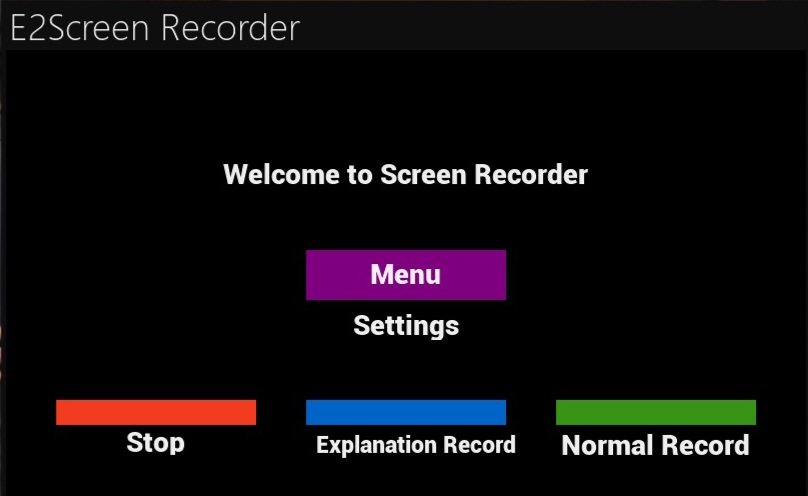
    Ease of use: A simple interface that lets you start and stop recording with the push of a button.
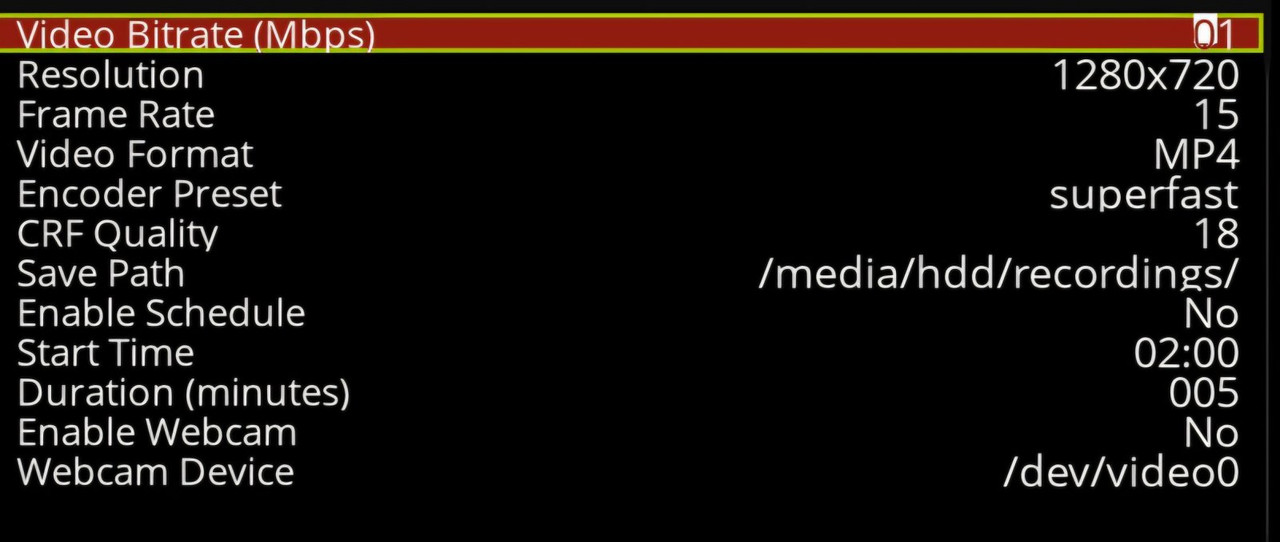
    Advanced settings: Precise control over quality, resolution, frame rate, and encoding type to ensure the best performance for your needs.
    Two recording modes: Choose between normal or demonstration recording according to your preference.
    Instantly stop recording: With a single press of a button, you can stop recording effortlessly.
    Smart file management: Recordings are automatically saved in the location you specify, and quality can be adjusted to save space.
    Smart alerts: Automatic notifications when space is running low or when FFmpeg is unavailable.
    How does it work?
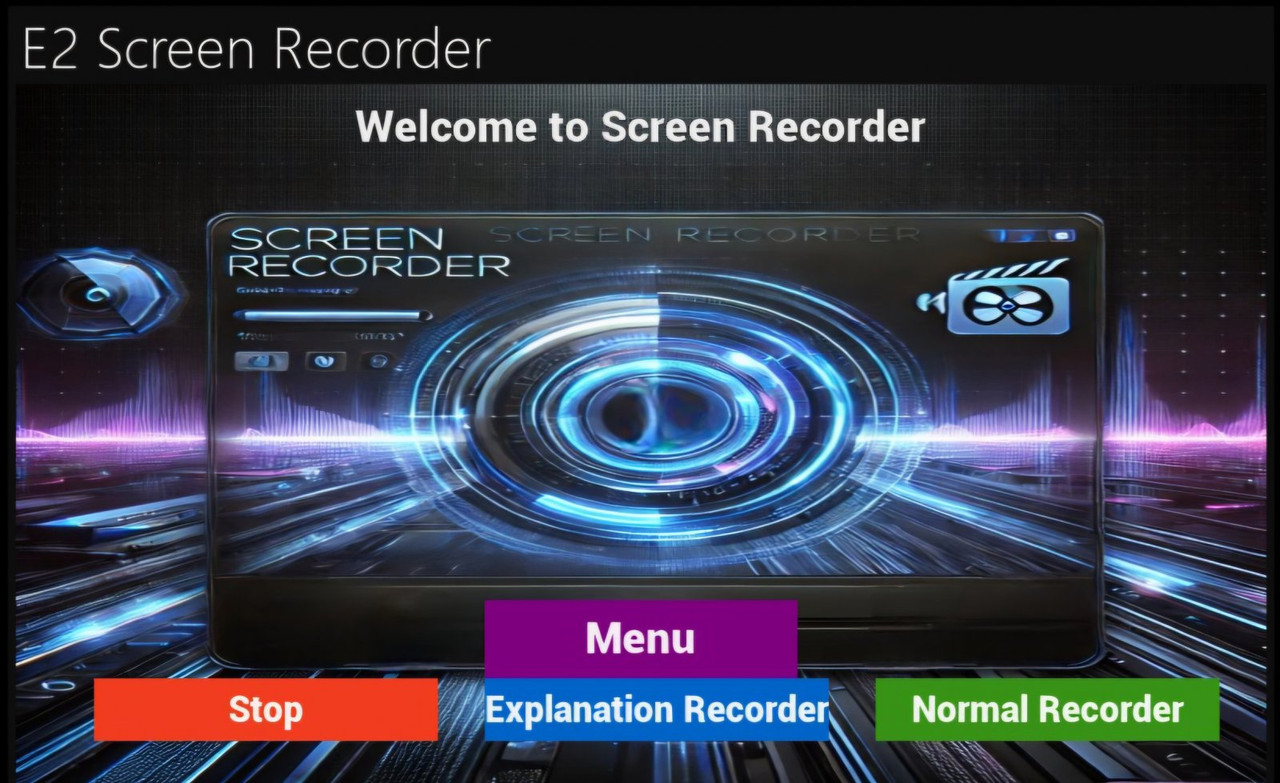
    Start normal recording: Press the green button to immediately start recording in clear quality.
    Start demo recording: Press the blue button if you want to record a video tutorial.
    Stop recording: Press the red button to end the recording and save it automatically.
    Advanced Settings: Press the Menu button to adjust the video quality, frame rate, or save location.
    What makes it special?
    Compatible with all Enigma2 devices.
    Supports resolutions up to 1280×720 with the ability to adjust the frame rate.
    Supports FFmpeg to ensure high-quality recording.
    Easily manage your recordings without the need for any technical expertise.
    Important notes
    Plugin is designed to be simple and easy to use.
    It does not record the sound or image of the channel, to make it easier to explain and teach.
    You can add audio or text to the video.


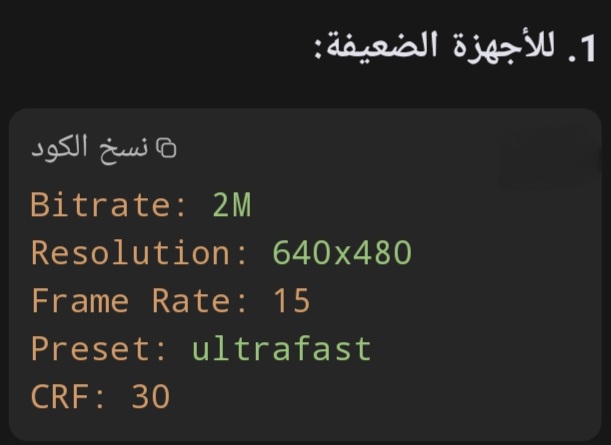
    Weak receivers


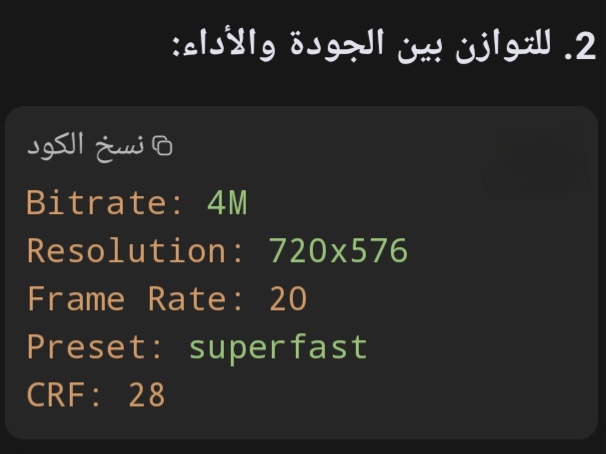
    To balance quality and performance


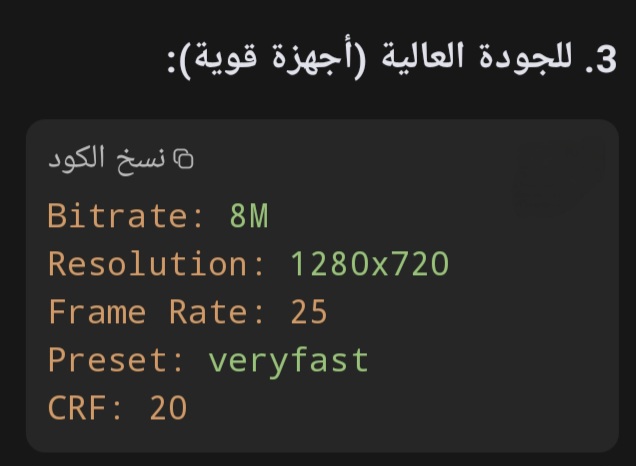
    For high quality (powerful receivers)

  2. Advertise Here
  3. #2
    Sat-tv te@m dreams@t's Avatar
    Join Date
    15-04-2006
    Location
    FunFiles City
    Posts
    11,330
    Uploads
    6,437
    Likes
    31,790

    Post Re: [Plugin] Screen Recorder

    Screen Recorder v2.0


    ​Thx @ Emil Nabil

  4. #3
    Super Moderator mehmetkarahanlı's Avatar
    Join Date
    29-12-2017
    Location
    bursa
    Posts
    28,095
    Uploads
    107
    Likes
    17,062

    Re: [Plugin] Screen Recorder

    E2 Screen Recorder_V3


    1. Add a Recording Timer
    (Recording Timer)
    A timer has been added that displays the current recording duration.
    - The elapsed time since the start of recording is displayed in 'minutes:seconds' format in the UI.
    - This timer has been added in the UI under Recording Status (`recording_timer').

    2 . Play a sound when starting and stopping recording
    - Added a 'playSound' function that plays a sound when you start and stop recording.
    - This feature helps the user know when recording starts and stops without having to look at the screen.

    3 . Improvements to FFmpeg commands
    - The FFmpeg commands used for recording have been optimized, with `-framerate' explicitly added to adjust the frame rate more accurately.
    - 'g' (Group of Pictures) has been added to adjust the interval between keyframes based on the selected frame rate.

    4 . Added a function to stop recording from the Extras menu
    - A new function called 'StopRecordingFromPlugin' has been added that allows the user to stop recording directly from the Plugins menu without having to open the main recording interface.
    - A new description has been added in the Plugins menu called 'Stop Recording' with a special icon.
    To execute this function.

    5 . Improvements in managing the recording process
    - Added improvements in recording management, such as stopping the timer when stopping recording and resetting the elapsed time.
    - Confirmation messages have been added when recording is successfully stopped or if errors occur.

    6 . User Interface Improvements
    - Minor UI improvements have been added, such as showing the elapsed time while recording and adding clearer explanatory messages.

    7 . Added more flexibility in managing recordings
    - Added more flexibility in recording management, such as the ability to stop recording from outside the main interface, providing the user with more options to control the recording process.

    command to install


Advertise Here

Similar Threads

  1. Update ║E²║Plugin║Serien Recorder║v.4.7.9║By MacDisein ║
    By dreams@t in forum Enigma2 Plugins
    Replies: 13
    Last Post: 12-01-2026, 12:43:06
  2. [Plugin] Sky Recorder
    By dreams@t in forum Enigma2 Plugins
    Replies: 17
    Last Post: 19-11-2022, 11:04:56
  3. Dish TV launches SD recorder
    By tokoroko in forum Daily Satellite TV News
    Replies: 0
    Last Post: 08-08-2012, 10:10:30
  4. Problemi CAM LG con DVD Recorder LG RHT399H
    By kikibio in forum Italian / Italiano
    Replies: 4
    Last Post: 27-07-2009, 15:11:58
  5. New LG launches Freeview+ and DVD Recorder
    By <<ELVIS>> in forum Daily Satellite TV News
    Replies: 0
    Last Post: 07-06-2009, 09:40:35

Posting Permissions

  • You may not post new threads
  • You may not post replies
  • You may not post attachments
  • You may not edit your posts
  •