


Version 1.9
-from menu plugin save emm tvs@t to /tmp/emm.txt
-load local .xml addons
-fix all updates too
thank's levi45 for support .deb
All Cams are contained in the two zip files
Thanks Lululla
HOME
-- Button Blu update softcam.key
-- Button Menu : insertion Cli*e in Oscam - CCam – Ncam in configuration file
MENU CONFIG
It is used to insert a Host / port / user / password of a Line.
Button Yellow get from server link (2 server free)
---- Link select server to download Cli*e
-- Button GET (YELLOW) get from server free to the CONFIG (Link1 or Link2)
-- Button WRITE NAME-CAM (GREEN) save to file (Oscam – Cccam - Ncam) - The current config (will insert the configuration edited with each press)
-- Button Restore (BLUE) reset select CAM in its original state, or make A new file for CCcam - Ncam - Oscam :
+ if it is not present in the path, the plugin creates it from the plugin folder
/usr/lib/enigma2/python/Plugins/Extensions/tvManager/data/
+ enter your personal configuration file into
/usr/lib/enigma2/python/Plugins/Extensions/tvManager/data/
Of course it only works with the cam downloaded from the tvManager pane
Update to 2.7 version
-according atv image - major fix
Thanks Lululla
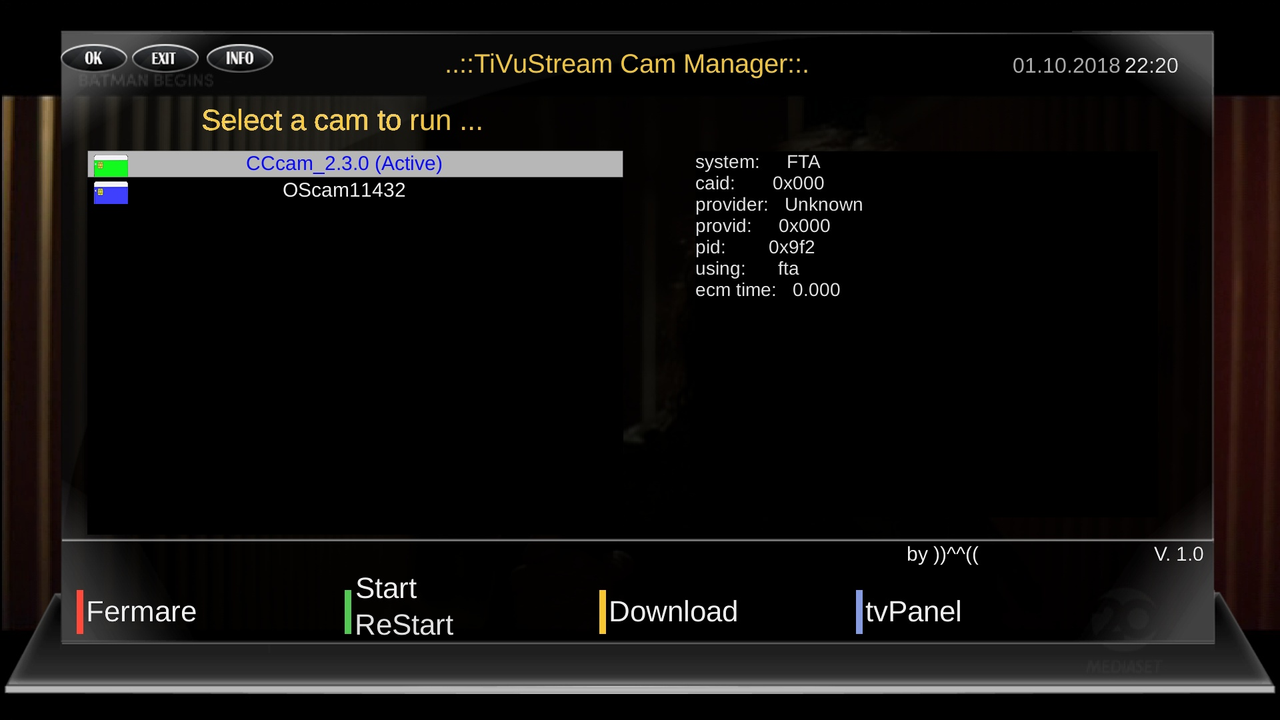
tvManager Cam manager Plugin
Versıon: 3.2.0
UPTADE: 21.11.2025
**Description****Softcam Manager v3.2.0 Professional Edition**
Softcam Manager is an enterprise grade Enigma2 plugin that provides comprehensive and professional softcam management. Designed to be multi-platform and compatible with Python 2.7/3.x, it offers a unified interface for controlling all major softcams.
**Main Features**
**Softcam Management**
- One-click Start/Stop/Restart of softcams
- Support for OSCam, CCcam, NCam, MGcamd, GCam, Wicardd
- Automatic detection of running cams
- Quick restart functionality
- Background command execution for non-blocking operations
**Information & Monitoring**
- Real-time ECM information display
- System resource monitoring (Memory, CPU, Active Cams)
- Active cam process detection
- ECM data formatting and cleaning
- Resource usage statistics
**Configuration & Backup**
- Automated configuration backup system
- Backup creation with timestamp
- Restore functionality for configurations
- Support for multiple backup versions
- Configuration file management:
- CCcam: /etc/CCcam.cfg
- OSCam: /etc/tuxbox/config/oscam.server
- NCam: /etc/tuxbox/config/ncam.server
- Keys: /usr/keys/SoftCam.Key
**Cam Information Panels**
- Integrated CCcam Info
- Integrated OSCam Info
- Integrated NCam Info
- Movicam support via OSCam Info
- Direct access to cam-specific information
**Download & Installation**
- Built-in softcam downloader
- Support for .ipk and .deb packages
- XML-based repository system
- Package installation with dependency checking
- Force reinstall and overwrite options
**System Integration**
- Multi-skin support (HD, FHD, UHD)
- DreamOS compatibility
- OpenPLi/OpenATV support
- Automatic directory creation
- Symbolic link management
**Utility Functions**
- Softcam keys update from online sources
- Temporary file cleanup
- System resource optimization
- Dependency verification and installation
- Package manager detection (opkg/apt-get)
**Quick Access Shortcuts**
- 0: Update Softcam Keys
- 1: CCcam Info
- 2: OSCam Info
- 3: NCam Info
- 4: Create Backup
- 5: Restore Backup
- 6: System Cleanup
- 8: Help Menu
- 9: Restart GUI
**Color Key Functions**
- GREEN: Start/Restart cam
- RED: Stop cam
- YELLOW: Cam Download
- BLUE: Active cam info
- MENU: Configuration
**Technical Features**
- Multi-architecture support (ARM, AArch64, MIPS, Cortex, SH4)
- Python 2.7 and 3.x compatibility
- Enterprise-grade error handling
- Non-blocking system calls
- Intelligent resource management
- Safe command execution with retry logic
**Auto-start Capabilities**
- Automatic softcam startup on boot
- Symbolic link management for compatibility
- Background service initialization
- Session-aware startup procedures
**System Requirements**
- Enigma2-based receiver
- Python 2.7 or 3.x
- Standard Linux utilities
- Network connectivity for downloads and updates
**Compatibility**
- Tested on OpenPLi, OpenATV, DreamOS
- Support for various hardware architectures
- Compatible with most Enigma2 distributions
**Development**
- Core Developer: Lululla
- Skin Design: MMark
v.3.2
-fix number actions
2Thanks Lululla
PHP Code:enigma2-plugin-extensions-tvmanager_3.2_all.ipk

Update v.3.4
-Fix gets ccline
Thx @ Lululla
 Posting Permissions


 Reply With Quote