


[HOW TO FLASH] how to flash SPYCAT mini V2
M
The SPYCAT Mini V2 (including the Twin/DVB-S2 models) uses a Hisilicon processor, which makes the flashing process slightly different from the Broadcom-based Technomate models we’ve been looking at. Most notably, the “trigger” for the flash usually happens via your remote control or on-screen prompt.
Preparation
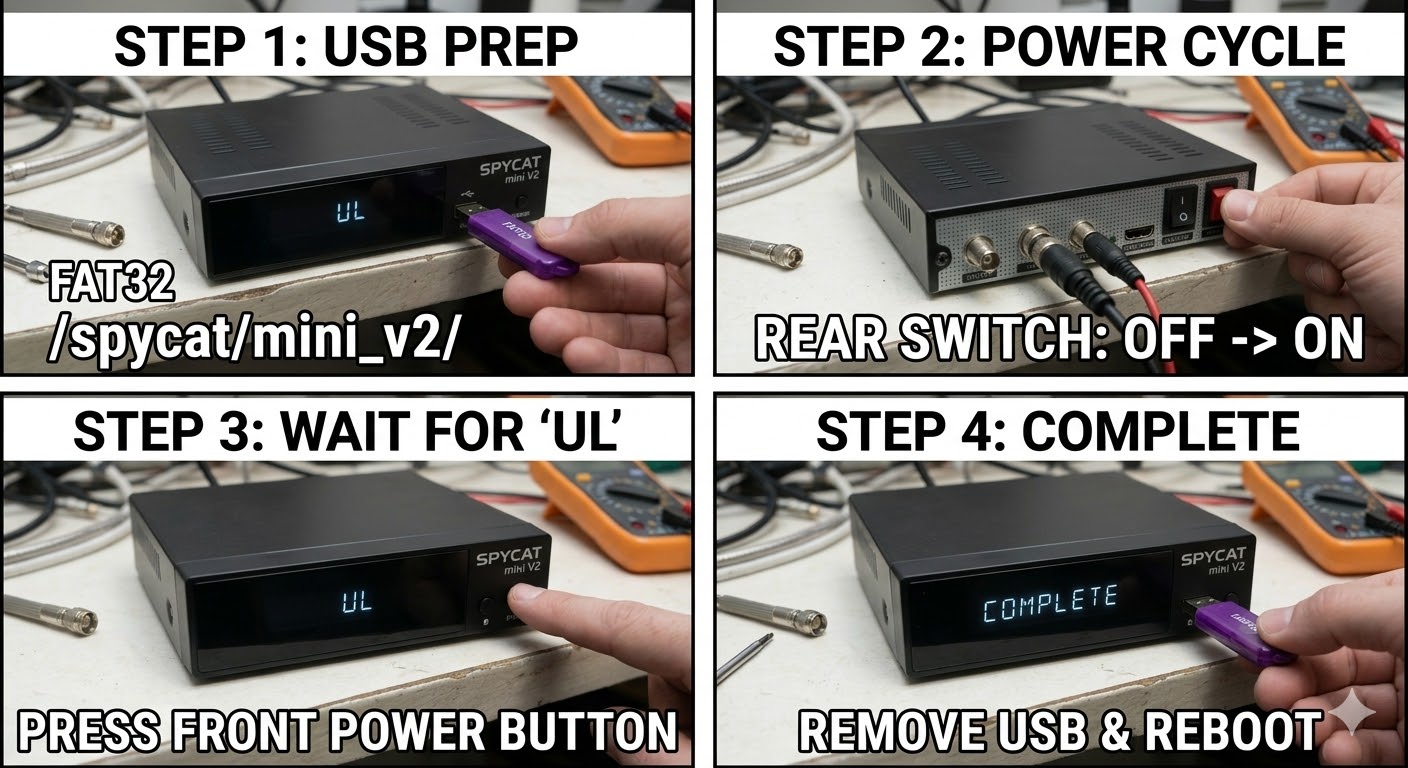
- USB Drive: Use a FAT32 formatted USB stick. As with most receivers, an older USB 2.0 drive (8GB or smaller) is highly recommended to ensure the bootloader recognizes it.
- The Files: Extract your image zip file (e.g., OpenATV, OpenViX). You should see a folder named spycat.
- Root Path: Copy the entire spycat folder to the root of your USB drive.
- Structure: USB Root > spycat > mini > (files: kernel.bin, rootfs.bin, etc.)
- Note: Ensure the folder structure is exactly spycat/mini.
Flashing Steps
- Power Down: Turn off the receiver using the physical power switch at the back.
- Clear Ports: Ensure no other USB devices are plugged into the receiver.
- Insert USB: Plug the USB stick into the rear USB port for the most stable connection during boot.
- Power On: Flip the rear power switch to ON.
- The Trigger (Important):
- Unlike the Technomate, the Spycat Mini V2 will usually show a prompt on your TV screen.
- When you see the prompt on the screen, press and hold the OK button on your REMOTE CONTROL to start the flashing process.
- Flashing Process: You should see the progress displayed on your TV screen. This takes roughly 2 to 4 minutes. Do not turn off the power until it is complete.
- Completion: The receiver will automatically reboot once the flash is successful.
- Finalize: Once you see the new boot logo on your TV, remove the USB stick.
Quick Troubleshooting
- No Prompt on TV: If the box boots straight to the old image, the USB stick is likely not being read. Try a different USB port or, more importantly, a different (older) USB stick.
- Remote not responding: Ensure you are pointing the remote directly at the receiver and holding the OK button immediately when the prompt appears.

 Reply With Quote