


[HOW TO FLASH] how to flash Golden Interstar XPEED LX1
To flash the Golden Interstar XPEED LX1, you will follow the same Broadcom procedure used for the LX2. As the single-tuner version of the series, it shares the same bootloader logic and folder naming conventions.
1. Preparation
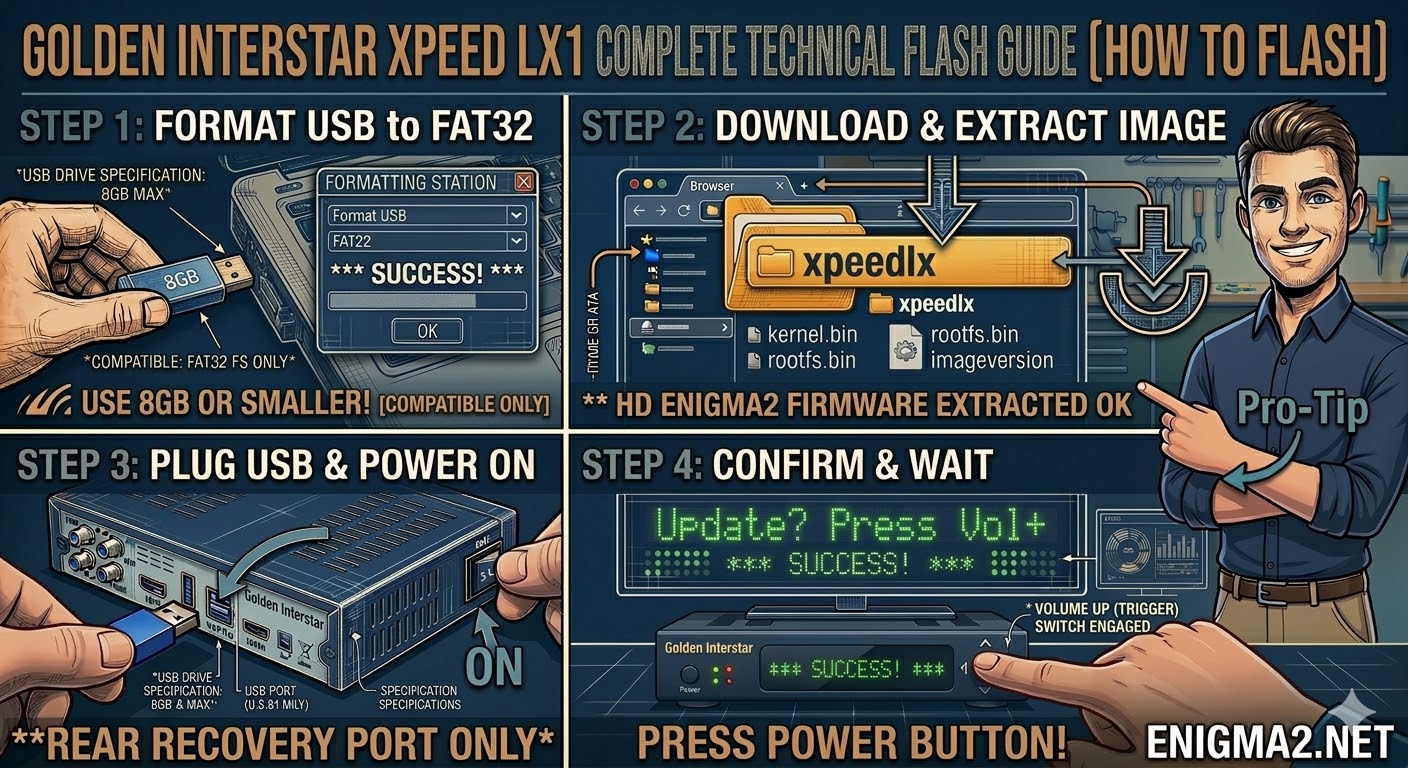
- USB Stick: Use a USB 2.0 stick. For older models like the LX1, smaller drives (4GB or 8GB) work best.
- Format: The drive must be formatted to FAT32.
- Firmware: Download the image specifically for the XPEED LX1 (OpenATV and OpenPLi are the most common).
2. Folder Structure
The bootloader identifies the update files within the xpeedlx directory.
- Extract the firmware .zip file on your PC.
- Locate the folder named xpeedlx.
- Copy the entire xpeedlx folder to the root of your USB stick.
- Path: USB:\xpeedlx\
- Contents: Inside, you should see kernel.bin, rootfs.bin, and imageversion.
3. The Flashing Process
- Power Off: Turn off the receiver using the power switch at the back.
- Insert USB: Plug the USB stick into the rear USB port.
- Power On: Turn the back power switch to ON.
- Initiate Flash:
- Watch the front panel display.
- When you see the prompt “Update? Press Vol+”, quickly press the VOLUME UP [^] button on the front of the receiver.
- Wait: The display will show the progress. It typically takes about 3 to 5 minutes. Do not turn off the power.
- Completion: The receiver will reboot automatically into the new image.

 Reply With Quote