


[HOW TO FLASH] how to flash EVO ENfinity
Flashing the EVO ENfinity (Step-by-Step)
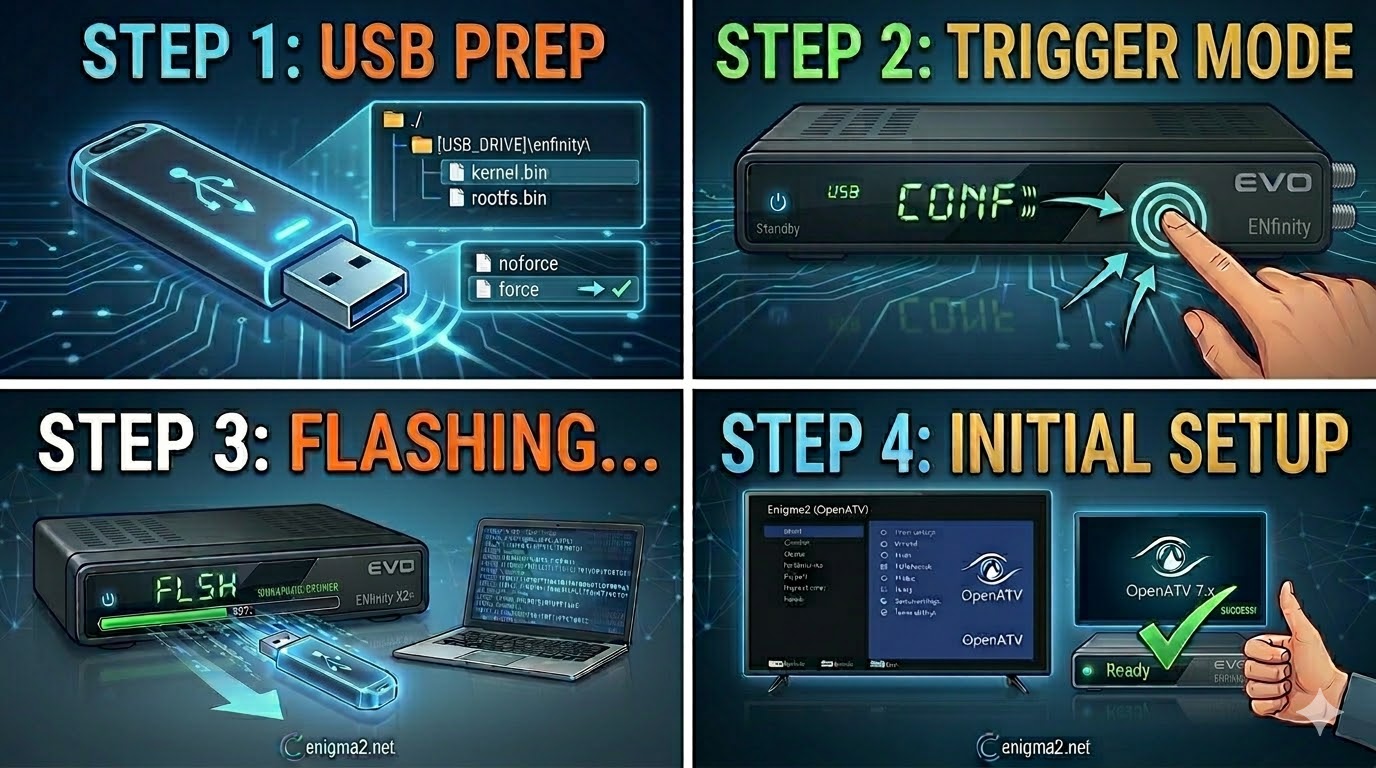
1. Prepare the USB Drive
- Format: Use a USB 2.0 stick (max 8GB) and format it to FAT32.
- The Folder Path: Extract your Enigma2 image (e.g., OpenATV). The root directory of your USB must be:
- USB_ROOT/enfinity/
- Verify Files: Inside the enfinity folder, you should find kernel.bin and rootfs.bin.
- The ‘Force’ Rename: If the ZIP includes a file named noforce, you can rename it to force to make the receiver flash automatically upon power-up.
2. The Flashing Procedure
- Power Off: Turn off the receiver using the power switch at the back.
- Insert USB: Plug the stick into the rear USB port for the most stable connection.
- The Trigger:
- Turn the power switch to ON.
- If you used force: The front display/LED will indicate the flash has started immediately.
- If you used noforce: Watch the front panel. When “USB” or “CONF” appears, quickly press the OK or Power button on the front panel.
- Flashing Status: The display will show “FLSH” or a counting progress. This typically takes 3–5 minutes.
- Finish: The receiver will reboot into the new image automatically. You can remove the USB once the setup wizard appears.

 Reply With Quote