


[HOW TO FLASH] how to flash Edision Optimuss OS1 Plus
Flashing the Edision Optimuss OS1 Plus (Step-by-Step)
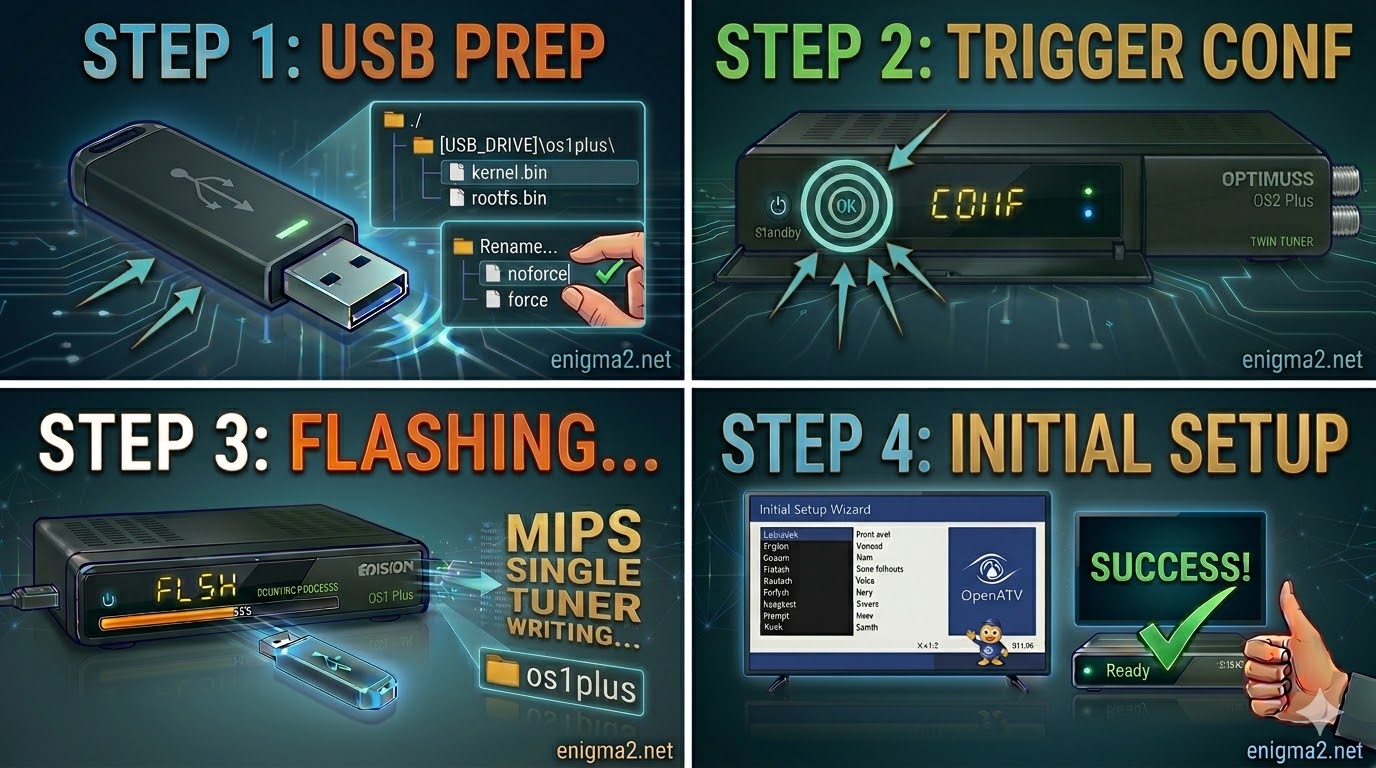
The Edision Optimuss OS1 Plus is a high-performance single-tuner MIPS receiver. For a successful installation, it is critical that the Enigma2 image files are placed into a specific folder named os1plus.
Phase 1: Prepare the USB Drive
- USB Formatting: Obtain a high-quality USB 2.0 stick (FAT32 formatted). For MIPS bootloaders, a 4GB or 8GB stick is recommended to ensure it is detected.
- Download and Extract: Download your chosen Enigma2 image (e.g., OpenATV, OpenPLi, OpenViX, etc.) to your computer.
- The Specific Folder: The downloaded ZIP file must be extracted directly to the root of your USB drive, creating this structure:
- USB_ROOT/os1plus/
- Verify the Files: Open the os1plus folder on your USB stick. It must contain these three essential files:
- kernel.bin
- rootfs.bin
- imageversion
Important Note for Automation: If the os1plus folder contains a file named noforce, rename it to force. This small change allows the receiver to start flashing automatically without needing manual confirmation, which is highly recommended for this model.
Phase 2: The Flashing Procedure
Once the USB drive is prepared, follow these steps to rewrite the firmware:
- Complete Power Down: Turn off the receiver using the physical power switch located at the rear of the unit.
- Insert USB: Ensure no other USB devices are connected. Open the front drop-down flap and plug your prepared flash drive into the front USB port.
- Initiate the Flash (The Trigger):
- Turn the rear power switch to ON.
- If you used the force hack: The front VFD display will change immediately (sometimes displaying “FLSH” or progress indicators) and the flashing process will begin.
- If you used noforce: Watch the VFD display. When it displays “USB” or “CONF” (meaning confirm), quickly press the OK button on the front panel (behind the flap) or on your Remote Control.
- The Waiting Period: The VFD display will keep you updated on the progress. The flash will take approximately 3–5 minutes.
- DO NOT POWER OFF or remove the USB drive while the VFD indicates that writing is in progress. Doing so can brick the receiver.
- Completion and Reboot: The receiver will reboot automatically once the flashing is complete. You can safely remove the USB stick when the first-time installation wizard (e.g., language selection) appears on your TV screen.

 Reply With Quote